In the high-octane world of First-Person Shooters (FPS), few franchises command the respect and sheer adrenaline of Call of Duty. Within that pantheon, the Black Ops series stands apart as a gritty, psychological, and visceral experience. It isn't just about the firefight; it's about the shadows, the secrets, and the operatives who work in the grey areas of history.
As anticipation builds for the next chapter in this saga, fans are looking for ways to immerse themselves in the action before the game even launches. Enter the Call of Duty Black Ops 7 Live Wallpaper. This isn't merely a background image for your computer; it is a digital transformation of your workspace into a command center.
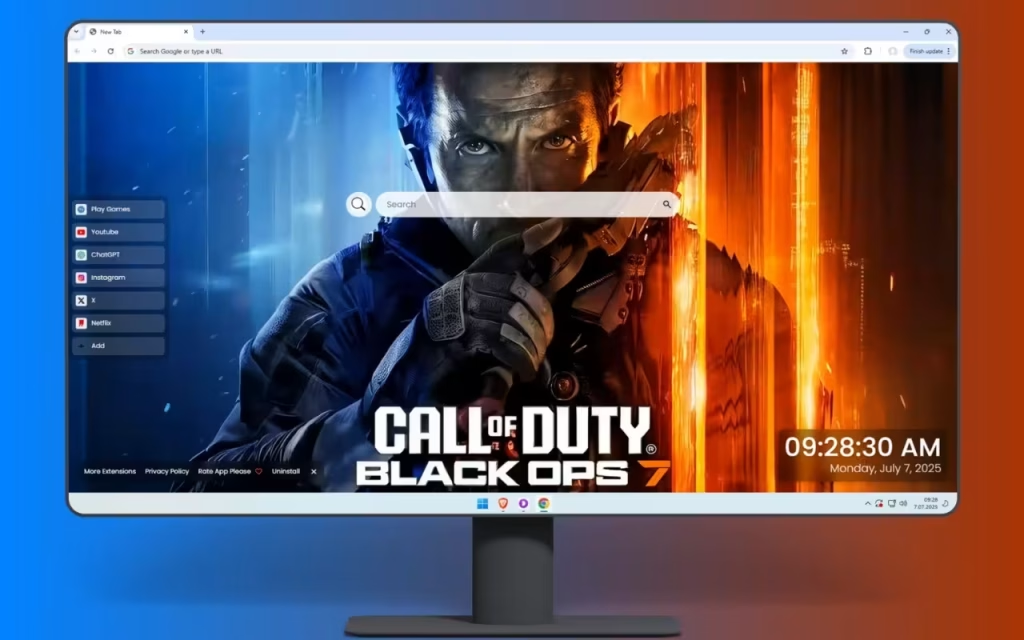
This striking browser extension captures the essence of modern warfare through the steely gaze of an elite operative, creating an atmosphere of tension and urgency. Whether you are a veteran of Nuketown or a new recruit to the franchise, this article explores why this wallpaper is the ultimate deployment for your desktop. We will deconstruct the stunning visuals, analyze the functionality of the dashboard, and discuss how to curate a gaming setup that matches this level of tactical intensity.
Deconstructing the Visual Warfare: Art & Atmosphere
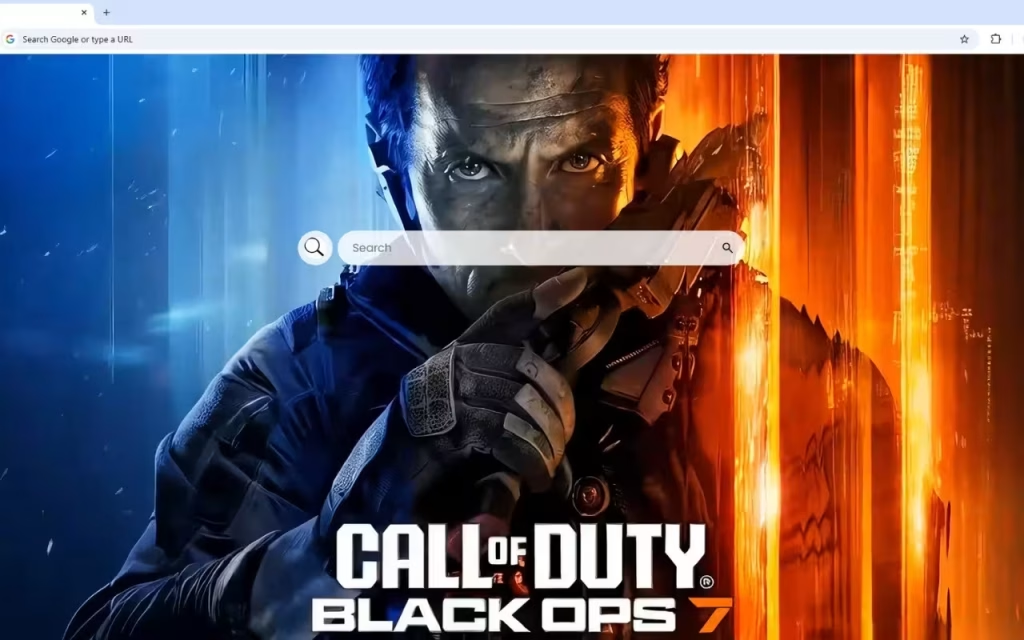
The visual appeal of the Call of Duty Black Ops 7 Live Wallpaper lies in its mastery of narrative storytelling through a single, static composition. It balances the "cold calculation of strategic planning" with the "heat of battle."
The Duality of Light: Strategy vs. Chaos
The most striking element of this wallpaper is the lighting. The description notes a dramatic contrast between "cool blue and fiery orange lighting." This is a deliberate artistic choice known in cinema and photography as the "Teal and Orange" look, utilized to separate the subject from the background and create visual tension.
-
Cool Blue: Represents technology, the glow of monitors in a tactical operations center (TOC), and the steely resolve of the soldier.
-
Fiery Orange: Represents the chaos of the battlefield, explosions, and the "heat" of the conflict.
Hyper-Realism and Tactical Authenticity
The Black Ops series has always prided itself on "realistic military authenticity." This wallpaper showcases an elite operative with a "weathered face that tells stories of countless missions." This isn't a pristine, generated model; it is a character with grit.
The level of detail extends to the equipment. The "meticulously rendered tactical equipment and assault rifle" appeal to the hardcore fanbase that obsesses over loadouts and Gunsmith attachments. The subtle particle details—dust motes floating in the light, sparks from a distant fire—add a cinematic quality that immerses viewers in the high-stakes world of special operations.
Does the gritty realism of the Black Ops characters make you feel more immersed than the futuristic style of other shooters? Let us know in the comments below!
Mission Critical Features: Your Digital Loadout
While the visual of the Call of Duty Black Ops 7 Live Wallpaper sets the mood, the integrated features ensure your browser is ready for duty. A soldier is only as good as their gear, and this extension equips your "New Tab" page with a full tactical loadout.
Command Center Utilities
This dashboard is designed to streamline your internet navigation, treating your browser like a military HUD (Heads-Up Display).
-
🔗 Popular Shortcuts: In a firefight, reaction time is everything. Get quick access to your intelligence hubs like YouTube (for meta loadout guides), Netflix, ChatGPT, and social media.
-
➕ Custom Shortcuts: Customize your mission parameters. Add your own favorite websites with ease—whether it’s the COD Wiki, a stats tracker, or your clan’s Discord server.
-
🔍 Search Bar: Seamlessly connected to your default search engine, this tool allows you to gather intel instantly. It anchors the screen, ensuring you can execute searches without breaking the immersion.
Time Management and R&R
-
🕒 Clock & Date: A modern, clean display of the current time and date ensures you never miss a double XP weekend or a squad deploy time.
-
🎮 Play Games: Even elite operatives need downtime. The built-in entertainment options offer quick distractions for your browsing breaks.
-
🚀 More Extensions: Enhance your journey with additional features, allowing you to upgrade your browser’s capabilities as the mission evolves.
Comparison: Civilian Browser vs. Operative Dashboard
Why should you switch to the Call of Duty Black Ops 7 Live Wallpaper? Let’s look at the intel.
| Feature | Standard Browser Tab | Call of Duty Black Ops 7 Live Wallpaper |
| Visual Experience | Stark White / Generic | Cinematic, High-Contrast Military Art |
| Atmosphere | Sterile / Boring | Tense / Urgent / "Locked In" |
| Navigation | Basic History Tiles | Custom & Popular Shortcuts |
| Immersion | None | High (Particle Effects & Lighting) |
| Utility | Search Only | Clock, Date, Search, & Games |
| Identity | "Office Work" | "Special Operations" |
The Legacy of Black Ops: Origins and Evolution
To appreciate the significance of the Call of Duty Black Ops 7 Live Wallpaper, one must understand the pedigree of the title.
From Vietnam to the Future
The Black Ops saga began in 2010, developed by Treyarch. It differentiated itself from the Modern Warfare series by focusing on clandestine operations, government conspiracies, and psychological thrillers.
-
The Origin: It started in the Cold War, dealing with sleeper agents and numbers stations.
-
The Evolution: The series jumped to the near future (Black Ops 2), the far future (Black Ops 3), and back again.
-
The Promise: The logo featured in this wallpaper promises the "next evolution in tactical gaming excellence." It suggests a return to the gritty, grounded roots while utilizing next-gen graphical fidelity.
Why is the "Black Ops" Aesthetic So Popular?
The popularity of this specific aesthetic—dark shadows, redacted text, neon orange accents—stems from the mystery. It invites the player to be part of a secret club. Installing the Call of Duty Black Ops 7 Live Wallpaper is a way for fans to signal their allegiance to this specific style of storytelling. It represents a world where "every mission matters and every decision can change the course of history."Deploying the Look: Setup and Collectibles
The "cool blue and fiery orange" palette of the Call of Duty Black Ops 7 Live Wallpaper provides a fantastic blueprint for decorating your physical gaming room.
Creating a Black Ops Command Station
If you want to match your room to your screen, follow these tactical design tips:
-
Bias Lighting: This is essential for the Black Ops vibe. Place LED light bars behind your monitor. Set the left side to Teal/Cyan and the right side to Amber/Orange. This extends the wallpaper's "dramatic contrast" onto your walls.
-
Military Industrial Decor: The wallpaper features "meticulously rendered tactical equipment." Incorporate pegboards (like those used for gun walls in-game) to store your controllers and headsets. Use matte black or gunmetal grey finishes for your desk accessories.
-
Texture: Use a large, dark desk mat. The description mentions "particle details" and "weathered" faces. Avoid shiny, polished plastics; go for rugged, textured surfaces that feel like military hardware.
Intel for Collectors
For those who want to collect physical items to match the digital theme:
-
Control Freaks: Look for the official Black Ops branded thumbsticks. They often feature the orange color scheme seen in the wallpaper.
-
Statues: PVC statues of iconic characters like Woods or Mason are great, but for Black Ops 7, look for "Operator" figures with modern tactical gear to match the "elite operative" on your screen.
-
Steelbooks: Displaying the steelbook cases of previous Black Ops games on a floating shelf creates a timeline of the franchise right next to your monitor.
The Call of Duty Black Ops 7 Live Wallpaper is more than just a nod to a video game; it is a portal to a world of high stakes and precision. It captures the tension of the pre-game lobby and the adrenaline of the final circle.
By installing this extension, you are choosing to upgrade your digital environment. You get the tactical efficiency of Custom Shortcuts and the precision of the Modern Clock, all while staring down the barrel of the next generation of warfare. It serves as a daily reminder to stay sharp, stay focused, and be ready for action.
Next Step: Are you ready to deploy? Search for the Call of Duty Black Ops 7 Live Wallpaper in your browser's extension store today and report for duty.
What is your favorite map in Black Ops history: Nuketown, Firing Range, or Raid? Share your memories in the comments below!