You open your browser, and the digital noise of the day instantly melts away. You're no longer staring at a blank, uninspiring white page. Instead, you're immersed in a
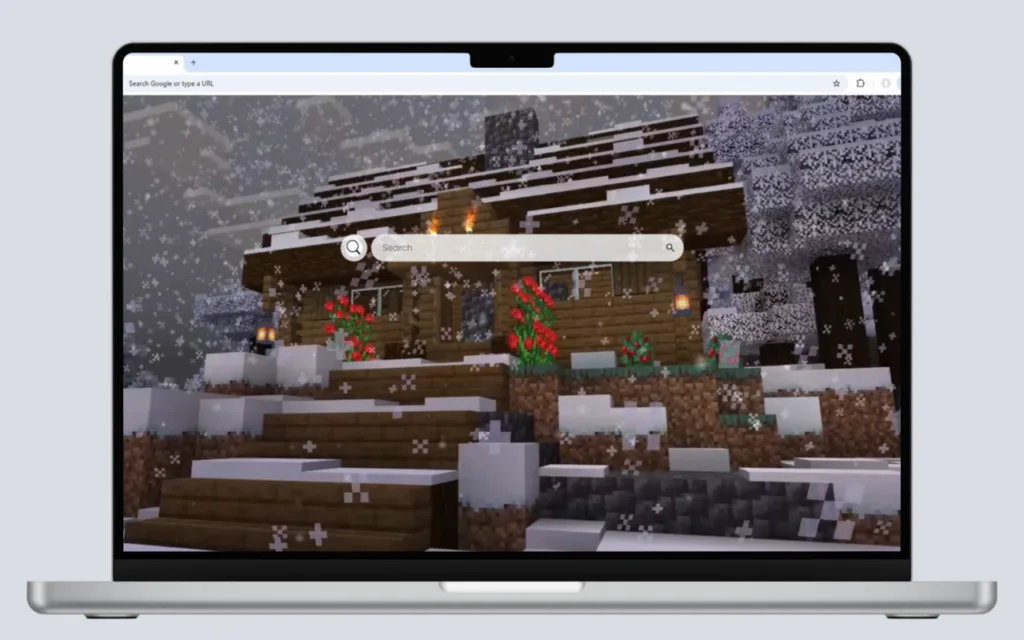
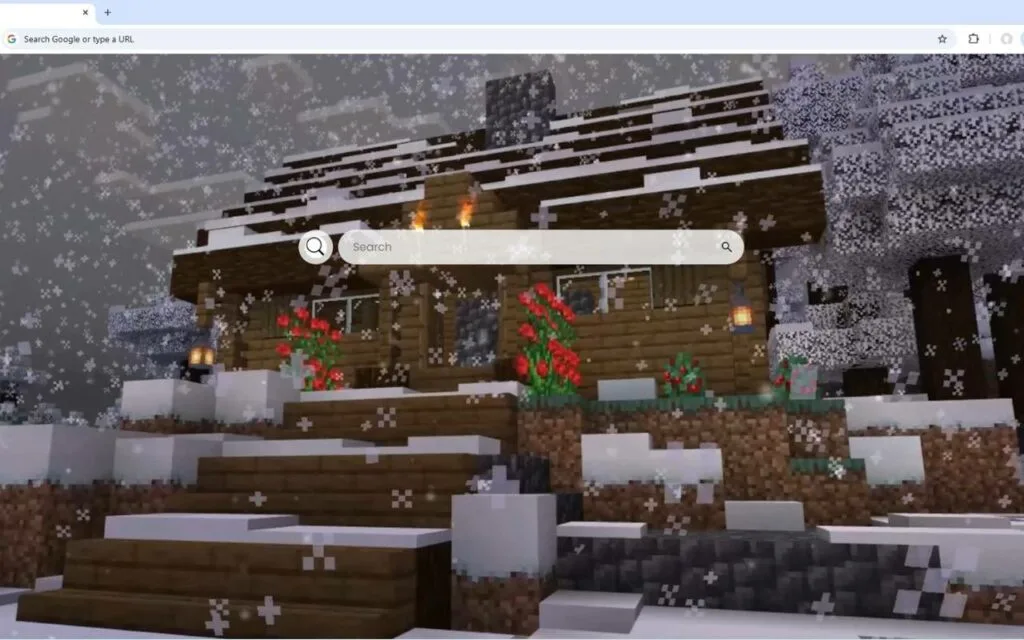
festive blocky wonderland. You watch as
snow gently falls on a carefully crafted winter scene.
Decorated Christmas trees (built, perhaps, from spruce and wool) stand proudly, illuminated by the
glowing redstone lamps and the warm light from the windows of
cozy wooden cabins.
This isn't just a static image; it's a living, breathing digital snow globe. This is the
Christmas in Minecraft Live Wallpaper, a browser theme that masterfully blends the creative soul of
Minecraft with the nostalgic warmth of the holiday season. The "pixelated holiday spirit" comes alive with subtle animations and warm lighting effects, creating a perfect, peaceful atmosphere.
But this theme is more than just a beautiful, festive background. It’s a high-performance productivity hub that equips you with the tools to be as efficient as a master builder. This article dives deep into the global phenomenon of
Minecraft at Christmas, the psychology of its "cozy" aesthetic, and how this
Christmas in Minecraft Live Wallpaper can transform your browser into a sanctuary of calm and productivity.
The Enduring Appeal: Why We Love the Minecraft Holiday Aesthetic
Before we explore the theme's high-tech features, we must ask: why
Minecraft? And why Christmas? With over 300 million copies sold,
Minecraft is the best-selling video game of all time. Its appeal lies in its limitless creativity. It's a "sandbox" in the truest sense—if you can imagine it, you can build it.
When you combine this creative freedom with the universal sentiments of the holiday season (warmth, light, community, and coziness), you get something truly magical. The
Christmas in Minecraft Live Wallpaper is a perfect snapshot of this phenomenon.
The Psychology of a "Festive Blocky Wonderland"
The "cozy" feeling you get from this
Christmas in Minecraft Live Wallpaper is a powerful psychological tool. This aesthetic, often associated with the Danish concept of
hygge (a quality of coziness and comfortable conviviality), is proven to reduce stress.
A "cozy wooden cabin" in a "festive blocky wonderland" is the digital equivalent of a warm fireplace and a soft blanket. It's a visual sanctuary. In a digital world of constant notifications and high-stress news feeds, this theme acts as a psychological buffer, creating a low-stress environment that promotes calm and focus.
The "glowing redstone lamps" and "warm lighting effects" aren't just for show; they tap into our primal attraction to light and warmth during the cold, dark winter months.
"Pixelated Holiday Spirit": A Global Community Tradition
For over a decade, building festive worlds has been a holiday tradition for
Minecraft players. Every December, servers light up with holiday-themed builds, player-skin "ugly sweaters," and community events.
This
Christmas in Minecraft Live Wallpaper is a celebration of that shared tradition. It's not just a generic winter scene; it's a scene
built with the very blocks and logic that
Minecraft players know and love. It's a theme that understands its audience, speaking the "language" of spruce logs, glass panes, and redstone.
What's your favorite
Minecraft block to use when building a cozy winter cabin? Share your build ideas in the comments!
Beyond the Blocks: A Functional Dashboard for Your Winter Workflow
This is where the
Christmas in Minecraft Live Wallpaper truly sets itself apart. It's not just a passive background; it's an active, high-performance dashboard designed to make your digital life as organized and efficient as a
Minecraft inventory.
Your Digital "Crafting Table" of Tools
This theme equips you with a full suite of modern, essential tools, all presented with a clean display that complements the "pixelated holiday spirit."
- 🕒 Clock & Date: A modern, clean display of the current time and date. It's sharp, minimalist, and keeps you anchored in your schedule.
- 🔍 Search Bar: Your "compass" for the digital world. It's "seamlessly connected to your default search engine" for instant, efficient queries.
- 🔗 Quick Access Shortcuts: Your "quick slots" for essential web destinations. Get to YouTube, Netflix, ChatGPT, and more with a single click.
- ➕ Custom Shortcuts: This is your "crafting table." You can add your own favorite websites with ease, building a personalized launchpad for your work, school, or creative projects.
How a "Cozy" Theme Boosts Productivity
This
Christmas in Minecraft Live Wallpaper is a perfect example of "calm-tech"—a tool that gets the job done without stealing your attention.
By centralizing your most-used digital tools, the theme streamlines your workflow and reduces "digital friction"—the small, frustrating steps that waste time and mental energy. You're not hunting for bookmarks or typing in the same URLs. Everything is right there, set against a "festive blocky wonderland" that is visually pleasing without being distracting.
This
Christmas in Minecraft Live Wallpaper helps you stay in a state of "flow" by providing an environment that is as organized as it is enchanting.
Build Your Own: A Guide to Creating a Minecraft Christmas
This
Christmas in Minecraft Live Wallpaper is so inspiring, it may make you want to build your own festive wonderland, either in-game or on your desktop. Here’s a quick guide.
How to Replicate This Scene In-Game
Want to build one of those "cozy wooden cabins" in your own
Minecraft world? Here are some tips from pro builders:
- The Cabin: Use Spruce or Dark Oak logs for the frame and Stripped Spruce for the walls. Use Oak or Spruce stairs for the roof, adding a one-block overhang for depth.
- The Christmas Tree: Build a trunk from Spruce logs, then use dark green Wool or green Concrete for the "needles." Decorate it with:
- Lights: "Glowing redstone lamps" (powered by a lever inside the tree), Sea Lanterns, or Shroomlights hidden behind colored glass.
- Ornaments: Use Red and Yellow Wool blocks, or even place Item Frames with colorful items inside.
- Star: A simple Yellow Concrete block or a more complex beacon at the top.
- Warm Lighting: Use Campfires (with a block underneath to hide the smoke), Lanterns, and Redstone Lamps on a daylight sensor (set to "inverted") so they turn on automatically at night, just like in the Christmas in Minecraft Live Wallpaper.
Finding Your Perfect Minecraft Wallpaper
You have several options for bringing this "pixelated holiday spirit" to your screen, each with its own pros and cons.
| Method |
Visual Effect |
Functionality |
Ease of Setup |
Best For... |
| Full Browser Theme (This item) |
Dynamic (Falling snow, glowing lights) |
High (Widgets, shortcuts) |
Easy (Extension install) |
The productive fan who wants this all-in-one Christmas in Minecraft Live Wallpaper and its tools. |
| Desktop Live Wallpaper App |
High (Full-screen animation) |
Low (Desktop visuals only) |
Moderate |
Users who want an immersive desktop background (behind icons). |
| In-Game Screenshot |
Static (No motion) |
None |
Very Easy |
The minimalist who just wants a static image. |
| Animated GIF/WEBM |
Animated (Loops) |
Low (Browser only, no widgets) |
Easy (Using a "New Tab" customizer) |
Getting the "live" feel in a browser without integrated tools. |
A Digital Wonderland That Works for You
This
Christmas in Minecraft Live Wallpaper is more than just a theme; it's a destination. It's a choice to infuse your digital workspace with the creativity of
Minecraft and the "pixelated holiday spirit" that has become a global tradition.
It perfectly balances the "enchanting" visuals of a "festive blocky wonderland" with the sharp, practical, and productive tools we all need to navigate the modern web. It transforms your new tab page from a forgettable utility into a daily source of calm, joy, and focused efficiency.
What are the essential "custom shortcuts" you would add to your personal
Christmas in Minecraft Live Wallpaper dashboard? Share your ideal setup in the comments below!