There are heroes, there are villains, and then there is Venom. The Lethal Protector has transcended comic book pages to become a global icon of raw power, duality, and unbridled chaos. But why settle for watching him on a movie screen when you can bring that explosive energy directly to your desktop?
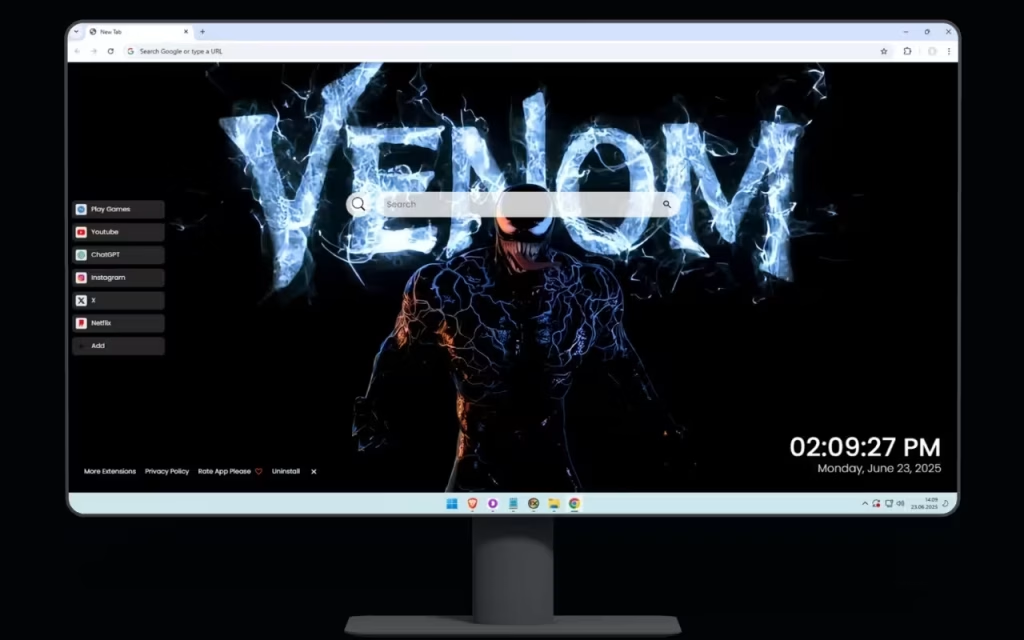
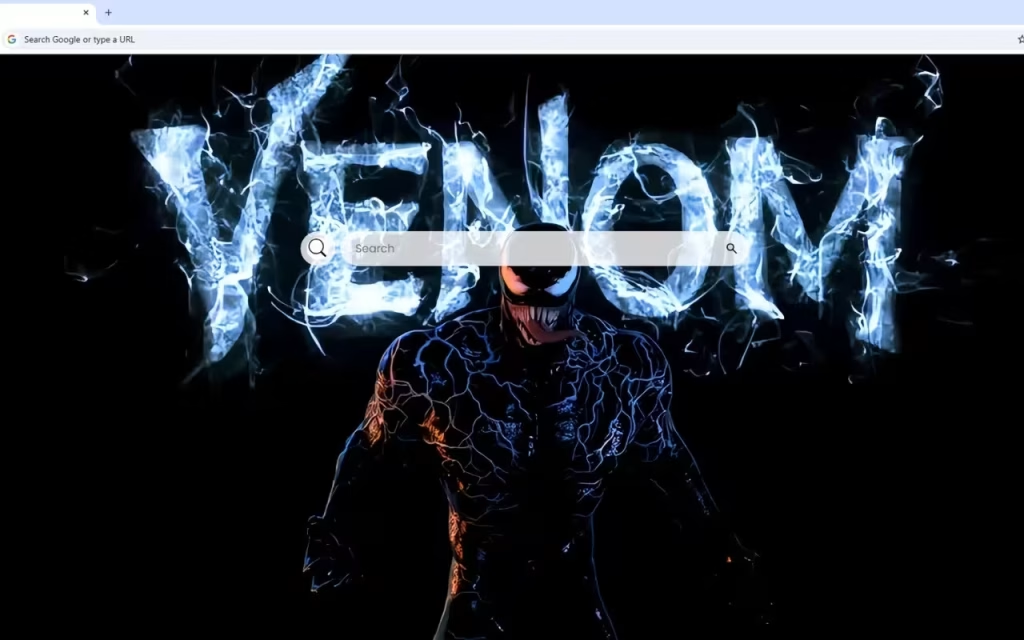
The Venom Live Wallpaper is more than just a background; it is a statement. It transforms your browser into a portal to the Klyntar hive mind. Imagine opening a new tab to face the "iconic anti-hero in all his dark glory," his muscular form pulsating with orange and blue energy veins against a pitch-black void. It is a visual experience that captures the volatile nature of Eddie Brock’s other half.
In this article, we will dissect the artistic mastery of this digital design, explore the origins of the character, and demonstrate how this browser extension merges the terrifying beauty of the symbiote with high-end productivity tools.
A Visual Masterpiece: Dissecting the Design
The specific design of this Venom Live Wallpaper stands out because it deviates from the standard black-and-white aesthetic. It introduces a dynamic color palette that breathes new life into the character.
The Art of Contrast: Obsidian and Fire
The artwork is described as featuring an "obsidian body" that crackles with "energy veins." This design choice utilizes high-contrast aesthetics to create depth.
-
The Background: The "pitch-black background" is essential. In design terms, this negative space forces the eye to focus entirely on the subject, creating an "atmosphere of raw power and intimidation."
-
The Typography: The centerpiece features "VENOM" written in blazing white fire letters. This typography isn't just a label; it’s a representation of the character's burning rage and supernatural intensity.
Energy and Motion
What makes this Venom Live Wallpaper truly "live" is the suggestion of movement. The "electric blue sparks" that dance around the composition contrast with the "orange and blue light," creating a complementary color scheme (orange and blue are opposites on the color wheel) that is visually vibrating.
Venom’s distinctive massive jaw is open in a threatening display, showcasing razor-sharp teeth. The lighting effects make it feel as though the symbiote is not static, but rather "web-like patterns glow with an inner fire," hinting that the alien entity could leap from your screen at any moment.
The Legacy of the Lethal Protector
To appreciate the gravity of having this character on your screen, we must look at where he came from. Venom is not just a monster; he is a tragedy and a triumph.
Origin of the Symbiote
The entity known as Venom first appeared as a living costume for Spider-Man in The Amazing Spider-Man #252 (1984), but the character of Venom truly was born in issue #300 (1988) when the alien bonded with Eddie Brock.
-
The Bond: Unlike other villains who want world domination, Venom’s motivation was originally personal: a mutual hatred for Spider-Man.
-
The Evolution: Over decades, Venom evolved from a terrifying villain into a "Lethal Protector"—an anti-hero who protects the innocent but eats the bad guys.
Why Is He So Popular?
Why do we love a monster that threatens to eat our brains? Psychologists suggest that fans are drawn to the duality. We all have a "shadow self"—a darker, more impulsive side that we keep hidden. Venom represents that shadow unleashed. The Venom Live Wallpaper captures this perfectly. The "duality" is visually represented by the "interplay of orange and blue energy," symbolizing the constant conflict and cooperation between the human host and the alien symbiote.Do you prefer Venom as a villain or an anti-hero? Let us know in the comments below!
Transforming Your Digital Workspace
A wallpaper sets the mood, but a browser extension changes how you work. This Venom Live Wallpaper is not merely decorative; it is a functional dashboard designed for the modern user.
Productivity Meets Power
This theme integrates a suite of tools that ensures your browsing is as fast and aggressive as the symbiote itself. Here is how the features enhance your journey:
-
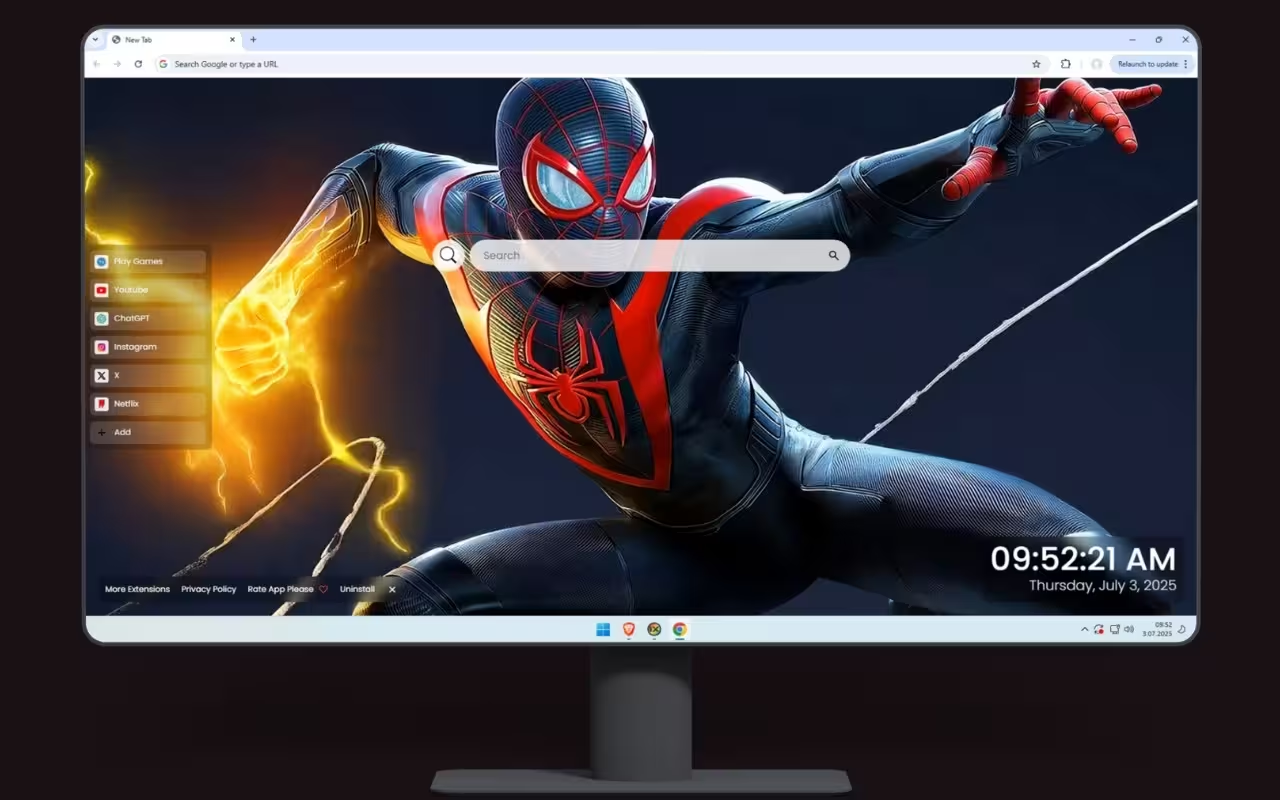
🔗 Popular Shortcuts: Just as the symbiote grants instant reflexes, this feature gives you quick access to YouTube, Netflix, ChatGPT, and more. No more typing out URLs; just click and go.
-
➕ Custom Shortcuts: The symbiote adapts to its host. Similarly, you can add your own favorite websites with ease, customizing your dashboard to fit your specific needs.
-
🔍 Search Bar: Seamlessly connected to your default search engine, this tool allows you to hunt for information without disrupting the visual flow of the artwork.
-
🕒 Clock & Date: A modern, clean display ensures you never lose track of time while admiring the artwork. The sleek font usually complements the "blazing white fire letters" of the design.
-
🎮 Play Games: Even monsters need a break. The built-in entertainment options for your browsing breaks allow you to decompress with casual gaming.
-
🚀 More Extensions: Enhance your journey with additional widgets that make your browser a powerhouse.
Tale of the Tape: Static vs. Live Wallpaper
Why should you choose this extension over a standard JPEG image? Here is a breakdown of the experience.
| Feature | Standard Desktop Image | Venom Live Wallpaper Extension |
| Visuals | Static, flat image | Dynamic, "pulsing energy veins" |
| Utility | None (Decorative only) | Integrated Search, Clock, and Shortcuts |
| Customization | Limited to OS settings | Fully customizable shortcuts and widgets |
| Immersion | Low | High (Feels like the symbiote is alive) |
| Convenience | Requires manual navigation | One-click access to top sites |
Decor and Collecting
If the Venom Live Wallpaper has inspired you to embrace the darkness, you can extend this aesthetic into your physical room. The "pitch-black" and "electric blue" theme is a popular choice for gaming setups.
How to Create a Venom-Inspired Setup
-
RGB Lighting: This is crucial. To match the wallpaper, set your LED strips (behind the monitor or desk) to a dual-zone color scheme. Set one side to Deep Orange and the other to Electric Blue. This mimics the "energy veins" described in the artwork.
-
Peripherals: Look for "pudding keycaps" for your mechanical keyboard. Set the backlight to white to match the "blazing white fire letters" of the Venom logo.
-
The "Obsidian" Look: Use a matte black desk mat. This replicates the "pitch-black background" and allows your glowing peripherals to pop, just like the symbiote stands out in the wallpaper.
Tips for Collectors
Venom merchandise is vast, but here is what to look for to match this specific art style:
-
Hot Toys: Look for the "Venompool" or special edition figures that feature translucent energy effects.
-
Statues: Brands like Sideshow Collectibles often release statues with "alien entity" textures that match the "web-like patterns" seen in the wallpaper.
-
Comics: To own the history, look for reprints of Venom: Lethal Protector #1 (1993), which established his anti-hero status.
The Venom Live Wallpaper is a fusion of aggressive artistry and digital utility. It captures the essence of Marvel’s most complex character—his rage, his power, and his undeniable cool factor. By combining the "muscular form crackling with energy" with practical tools like Custom Shortcuts and a Modern Clock, this extension ensures your browser is as powerful as it is beautiful.
Whether you are a long-time comic reader or a fan of the cinematic universe, this theme invites you to accept the bond. It reminds us that sometimes, it feels good to be bad.
Ready to let the symbiote in? Don't let your screen remain a blank void. Install the theme and embrace the power.Who is your favorite Venom host: Eddie Brock, Flash Thompson, or someone else? Tell us in the comments!