"War. War never changes." For decades, that iconic phrase has been our passport into the "post-apocalyptic world of Fallout." It's a universe that masterfully blends the atomic-age optimism of 1950s America with the gritty, dark humor of a nuclear-ravaged wasteland. Now, you can bring that same "immersive, retro-futuristic feel" directly to your browser's new tab page.
We're not just talking about a static background. We're talking about the
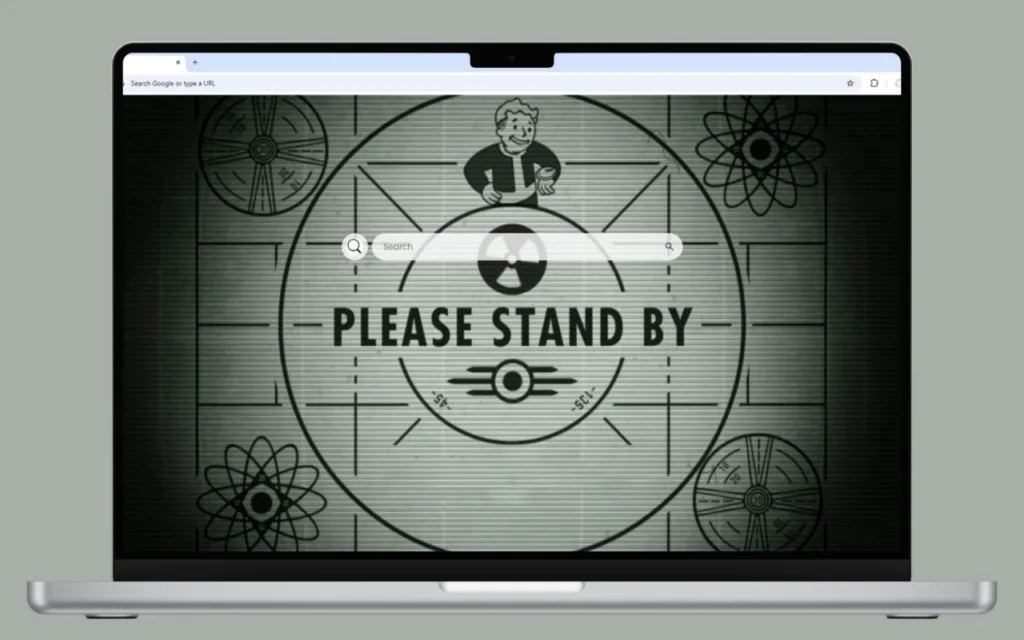
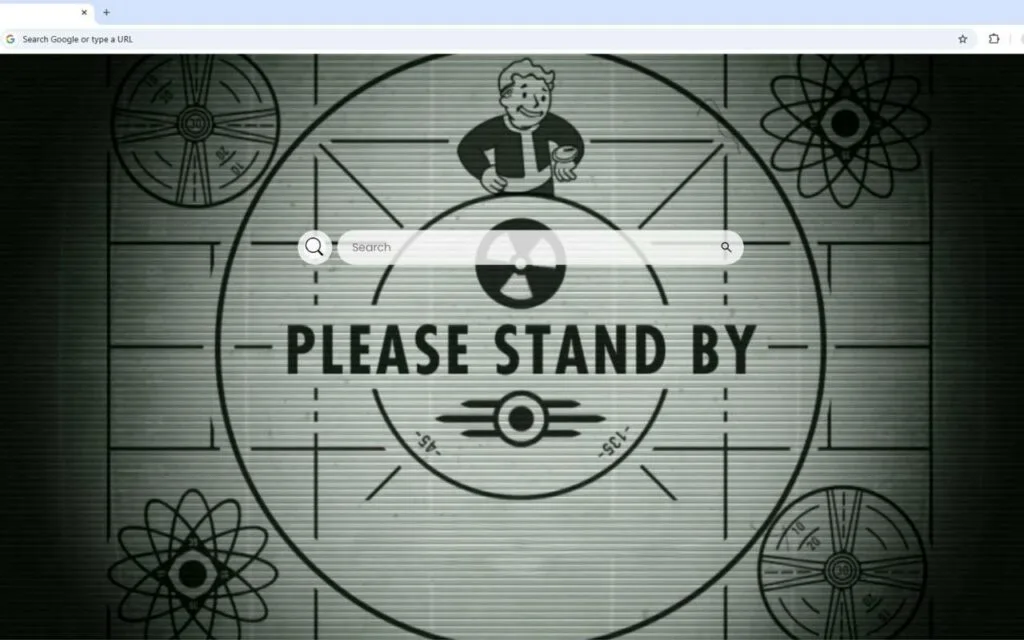
Fallout Live Wallpaper, a dynamic theme that puts you right in the moment before you step out of the Vault. Imagine opening your browser to the iconic "Please Stand By" test pattern, the entire screen "flickering" with a vintage, cathode-ray tube effect. The "nuke symbol spins, adding a sense of urgency and tension," while the beloved "Fallout character looks up at their watch" (their trusty Pip-Boy), "ready for whatever the wasteland throws next."
This theme is more than just an homage; it's a high-functioning dashboard that fuses post-nuclear style with 21st-century productivity. This article will explore the origins of
Fallout's enduring aesthetic, break down the features of this incredible
Fallout Live Wallpaper, and even offer tips for collectors and DIY-ers.
The Origin of an Aesthetic: What Makes Fallout So Popular?
To understand why a
Fallout Live Wallpaper is so sought-after, we have to look at the franchise's unique, lightning-in-a-bottle design. What is its origin? It's a style known as "retro-futurism."
The World That Never Was
The
Fallout universe isn't
our future. It's the future as imagined by 1950s science fiction. The timeline split after World War II, leading to a world with atomic-powered cars, laser blasters, and personal robot-butlers, but where the microchip was never invented. Culturally, America was frozen in a state of perpetual 1950s optimism and paranoia.
The "Please Stand By" Test Pattern: This "flickering" screen is perhaps the most iconic symbol of the series. It represents the sudden, jarring end of the old world. It's the last broadcast, a promise of entertainment that was cut short by nuclear fire. This Fallout Live Wallpaper uses that "sense of urgency and tension" to create a powerful, immersive atmosphere. It's the "calm" right before the bombs fell.
The Enduring Appeal of the Wasteland
Why is
Fallout so popular, decades after its 1997 debut?
- Deep World-Building: The Fallout universe is rich with lore, dark humor, and countless tragic, funny, and bizarre stories.
- Freedom of Choice: The games are famous for allowing you to be whoever you want—a shining hero, a selfish scoundrel, or a cannibalistic madman.
- The "Vibe": From the Ink Spots on the radio to the design of Nuka-Cola, the retro-futuristic style is wholly unique and endlessly appealing.
This
Fallout Live Wallpaper is a celebration of that vibe. It's for the fan who understands that the "flickering" screen and "spinning nuke symbol" aren't just cool; they're the heart of the
Fallout story.
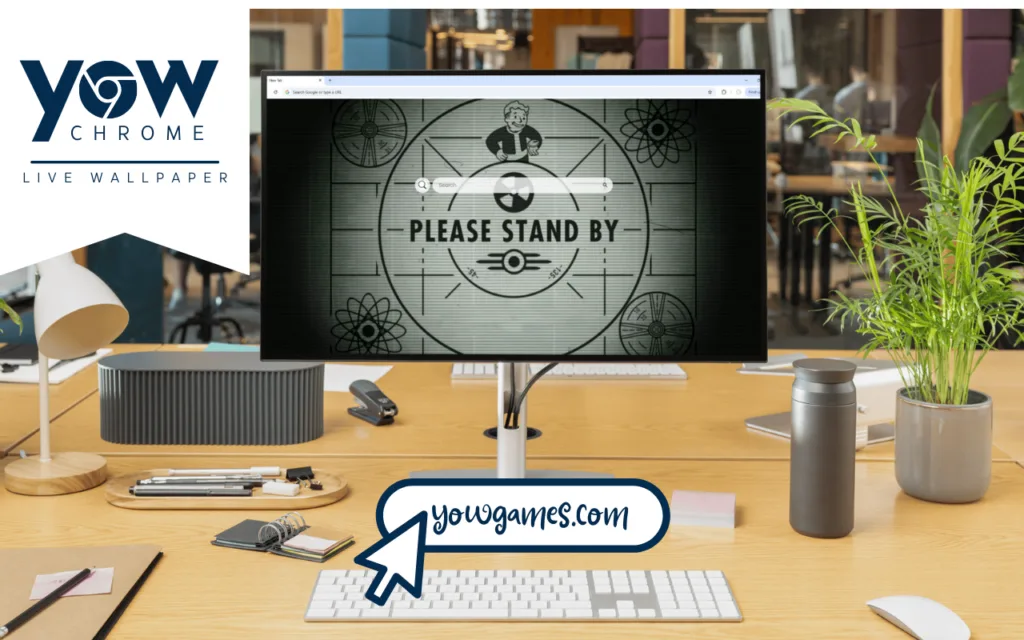
More Than a Test Pattern: A Full-Function Pip-Boy for Your Browser
This theme's greatest achievement is that it doesn't sacrifice function for its "immersive, retro-futuristic feel." It
is the functional dashboard a real-life Vault-Dweller would want.
A "Live" and "Flickering" World
The "live" aspect of this
Fallout Live Wallpaper is what sets it apart. The "animated lines" that scan across the screen, the "flicker" effect that mimics an old monitor, and the "spinning nuke" are all designed to pull you in.
The central figure, the "Fallout character" (Vault Boy), isn't just standing there. He's
looking at his watch—his Pip-Boy. This small detail is brilliant. It implies he's checking his stats, his map, or his quests. He's
ready. This theme turns your mundane new tab into a mission briefing.
What's your favorite detail of the
Fallout retro-futuristic aesthetic? Let us know in the comments!
The Ultimate Wasteland Dashboard
While the visuals draw you in, the utility is what makes you stay. Integrated seamlessly into the "Please Stand By" design is a complete productivity suite.
- 🔗 Quick Access Shortcuts: Get pre-loaded, one-click access to your most important sites, like YouTube, Netflix, ChatGPT, and more.
- ➕ Custom Shortcuts: This is your Pip-Boy's "favorites" tab. "Add your own favorite websites with ease," whether it's for work (your email), school (your research portal), or play (your favorite Fallout wiki).
- 🔍 Search Bar: "Seamlessly connected to your default search engine," this integrated search bar lets you query the wasteland (or the internet) without a single wasted click.
- 🕒 Clock & Date: A "modern, clean display" of the current time and date, ensuring you don't lose track of time while exploring.
 Collector's Guide & DIY Decoration
For
Fallout fans, collecting is in our blood. We scavenge for bottlecaps, hunt for bobbleheads, and hoard Nuka-Cola. A theme like this
Fallout Live Wallpaper is just another "rare" item for our digital collection.
Tips for Digital Vault-Dwellers
If you're a collector of high-quality browser themes, here's what to look for:
- Prioritize Performance: A "live" wallpaper should be well-optimized. This Fallout Live Wallpaper uses subtle "flickering" effects that shouldn't slow your browser down.
- Look for Functionality: A great theme adds value. A theme that includes ➕ custom shortcuts and a 🔍 search bar is always superior to one that's just a pretty (or gritty) picture.
- Check for Authenticity: Does it feel like Fallout? This theme, with its "spinning nuke" and "Please Stand By" screen, absolutely nails the "retro-futuristic feel."
How to Create a Similar Decoration (DIY Approach)
Inspired to build your own? You can try the DIY route, but it takes some scavenging.
- Find Your Asset: You'll need to find a high-quality, perfectly looping video or GIF of a Fallout animation (like a test pattern or a Pip-Boy screen).
- Use an Extension: Search your browser's extension store for "live new tab" or "video wallpaper" add-ons.
- Configure and Tweak: Use the extension to upload your file and set it as your background. Many of these extensions also offer basic widgets to add a 🕒 clock or your own links.
Comparison: DIY vs. This Polished Fallout Theme
While the DIY route offers customization, a pre-built, polished theme like this
Fallout Live Wallpaper is often the superior choice for most Vault-Dwellers.
| Feature |
DIY Method (Using an Extension) |
The Polished Fallout Live Wallpaper Theme |
| Setup Effort |
High. You must find the art, install tools, and configure it all manually. |
Low. Usually a simple one-click installation. |
| Integration |
Clunky. Widgets often look "tacked on" and don't match the art style. |
Seamless. The 🔗, ➕, 🔍, and 🕒 icons are designed to match the retro-futuristic feel. |
| Performance |
Varies. A large, un-optimized video file can cause significant browser lag. |
Optimized. Designed to be lightweight and fast. |
| Authenticity |
Depends on the art you find. |
Perfect. Captures the "flickering" tension of the Fallout universe. |
Your Browser, Rebuilt
The
Fallout Live Wallpaper is more than just a theme; it's a declaration of fandom. It's an "immersive, retro-futuristic" portal that perfectly "captures the sense of urgency and tension" of the
Fallout universe, all while providing a top-tier, functional dashboard.
It takes the "Please Stand By" message—a symbol of an ended world—and turns it into a command center for your new one. Every time you open a new tab, you'll be reminded that even in the post-apocalyptic wasteland of the internet, you're "ready for whatever... throws next."
What is your favorite iconic screen from a video game that you'd love to see as a full-featured live wallpaper? Let us know in the comments below!