"Enter the haunting atmosphere of
Five Nights at Freddy's..." For millions, that phrase alone is enough to cause a chill. It brings to mind the low hum of a failing power supply, the distant, tinny music of a pizzeria, and the heart-stopping dread of an animatronic screech. It's an indie-horror phenomenon that redefined fear by making you a sitting duck.
Now, imagine that same "spine-chilling" tension greeting you every time you open a new browser tab.
We're not talking about a simple, static background. We are in a new era of digital customization, one where your "New Tab" page can be an immersive, "authentically eerie FNAF experience." This is the promise of the
Five Nights at Freddy's Live Wallpaper theme.
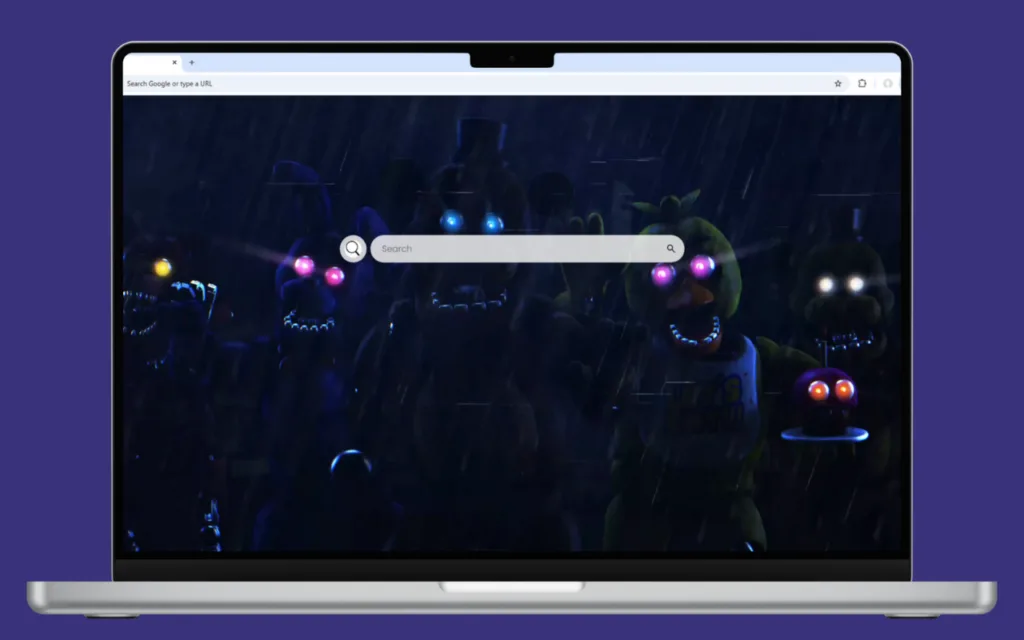
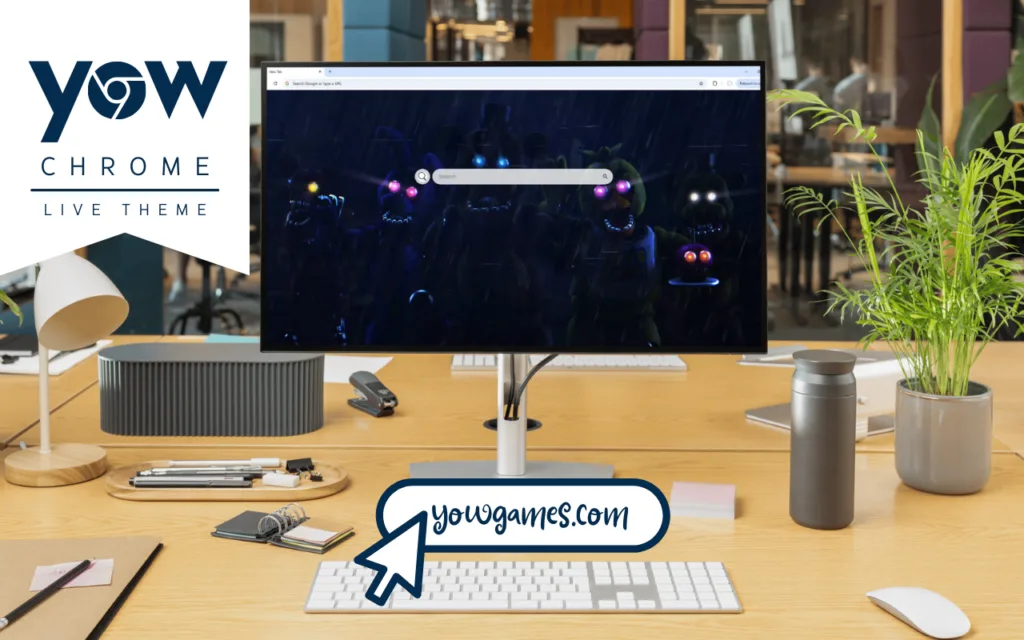
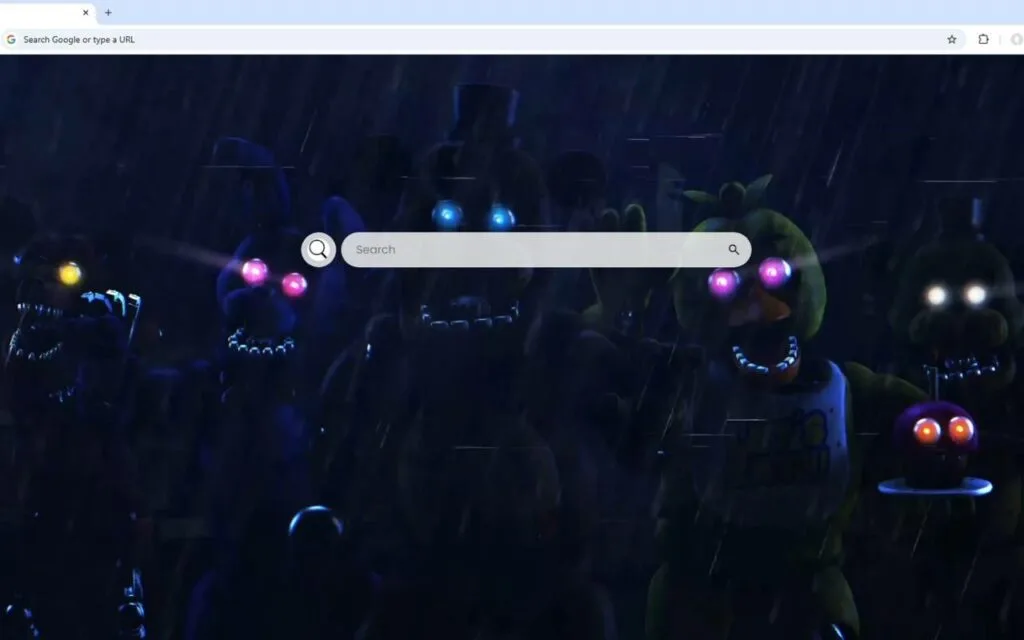
It's a complete atmospheric takeover. You "watch as animatronic characters lurk in the shadows" of your screen. You're jumpy, kept "on edge" by the "occasional glowing eyes and subtle movements." The entire experience is framed through the iconic "security camera aesthetic," complete with "flickering lights" and static overlays.
But here’s the game-changer: this isn't just a horror show. This is a high-functionality dashboard. This article dives into the origin of this terrifyingly popular franchise and how this theme merges that signature dread with the practical tools you need to survive your day.
The Origin of the Animatronic Nightmare
To understand why this
Five Nights at Freddy's Live Wallpaper is so effective, you have to look back at the game's brilliant, humble origins. Why is it so popular? It all started with a different, much friendlier game.
From Family-Friendly Failure to Horror Icon
The
Five Nights at Freddy's (FNAF) franchise was created by a single developer, Scott Cawthon. Before FNAF, Cawthon made family-friendly Christian video games. His last project,
Chipper & Sons Lumber Co., received harsh criticism. Reviewers said the animatronic-like animal characters were unintentionally "terrifying" and "creepy."
Discouraged and at a crossroads, Cawthon had a revelation: what if he
intentionally made those "scary animatronic animals" the star of the show?
In August 2014, the first
Five Nights at Freddy's was released. The premise was simple but revolutionary.
- You are a night-shift security guard at a "Chuck E. Cheese" style pizzeria.
- The animatronic mascots wander at night... and they're hunting you.
- You cannot fight. You cannot run. You are locked in a security office.
- Your only tools are security cameras, lights, and doors, all of which drain a limited power supply.
This created a new genre of helplessness. The horror wasn't in the attack; it was in the
anticipation of the attack.
The "Security Camera Aesthetic": A Perfect Wallpaper Theme
The core mechanic of the game is the very "security camera aesthetic" that this
Five Nights at Freddy's Live Wallpaper replicates. The "flickering lights," the static, the "animatronic characters lurk in the shadows"—this isn't just a stylistic choice; it's a direct tribute to the game's core loop.
This theme essentially turns your browser into the iconic security office. You are the night guard, and every time you open a new tab, you're checking your monitors. The "occasional glowing eyes" in the corner of your screen? That's Freddy, Bonnie, or Chica, just out of view. It’s an "authentically eerie FNAF experience" because it taps into that same primal fear of being watched.
Why We Love to Be Kept "On Edge": The FNAF Phenomenon
The popularity of FNAF exploded, spawning over a dozen games, a massive book series, and a blockbuster film. But why? What makes this "haunting atmosphere" so appealing?
The Power of the Jump Scare and Deep Lore
The franchise's success is a perfect storm of two key elements:
- Stream-Worthy Scares: The "subtle movements" and "glowing eyes" of the animatronics build unbearable tension, which is punctuated by a heart-stopping jump scare. This made FNAF the king of "Let's Play" YouTube videos, as watching popular streamers shriek in terror became a global pastime.
- The Hidden Story: This is what gives the franchise its longevity. The games are packed with cryptic messages, hidden mini-games, and a dark, tragic backstory (the infamous "Missing Children Incident").
This
Five Nights at Freddy's Live Wallpaper serves as a constant, "spine-chilling" reminder of that deep lore. The animatronics aren't just robots; they are haunted, tragic figures.
More Than a Game: A Functional Security Office
Here is where most animated wallpapers fail. They are beautiful to look at, but they are a "Game Over" for productivity. You open a new tab and are met with a gorgeous, looping video... and nothing else.
This
Five Nights at Freddy's Live Wallpaper is different. It understands that a good security guard needs their tools. It integrates a full productivity suite directly into the "security camera aesthetic."
Your "security office" comes fully equipped:
- 🔍 Search Bar: Front and center. It’s "seamlessly connected to your default search engine" to instantly find what you're looking for.
- 🕒 Clock & Date: A "modern, clean display" (perhaps with a digital, 80s-style font) to track the time. Can you make it to 6 AM?
- 🔗 Quick Access Shortcuts: Your daily essentials. Get one-click access to YouTube, Netflix, ChatGPT, and other key sites.
- ➕ Custom Shortcuts: This is the key. You can "add your own favorite websites with ease," pinning your email, work portal, or favorite FNAF wiki.
Comparing Your Digital Monitoring Setup
The jump from a default browser page to a fully functional live wallpaper is significant. It's the difference between having no power and having just enough to survive the night.
| Feature |
Standard Browser New Tab |
Basic FNAF Wallpaper |
Functional FNAF Live Dashboard |
| Visuals |
Blank, white, or simple logo. |
Static, unchanging image of Freddy. |
Dynamic: "flickering lights," "glowing eyes," "subtle movements." |
| Atmosphere |
Sterile and boring. |
Mildly "eerie." |
"Authentically eerie FNAF experience." High tension. |
| Functionality |
Basic search bar. |
None. Hides all default tools. |
Full Suite: 🕒, 🔍, 🔗, and ➕. |
| Immersion |
Low. |
Medium. |
High. Feels like you are in the security office. |
For Collectors & Creators: Curating Your Own Haunting
Whether you're a dedicated collector of FNAF lore or inspired by this design to create your own "haunting atmosphere," achieving this level of quality requires a specific focus.
Tips for Finding the Perfect FNAF Live Wallpaper
If you're hunting for the perfect
Five Nights at Freddy's Live Wallpaper, you're not just looking for an image; you're looking for a
mood. Here’s what to look for to ensure you're getting a high-quality product:
- Subtlety is Key: The best horror is subtle. Look for "subtle movements," not wild, fast animations. The "glowing eyes" should be "occasional," not a constant, distracting blink. The "flickering lights" should be gentle, not a strobe light.
- Resolution and Quality: Insist on 4K or high-HD assets. A blurry, pixelated animatronic isn't scary; it's just messy.
- The "Security Camera Aesthetic": The best themes use a "vignette" (dark corners) and a "static" overlay to perfectly mimic the in-game monitor. It's the most authentic look.
- Lightweight Performance: A good live wallpaper is optimized. It shouldn't slow your browser to a crawl. A theme that lags and stutters ruins the tension.
How to Create Your Own "Spine-Chilling" Decoration
Inspired by this design? Want to try your hand at creating your own?
- Start with a Dark Base: Find a high-resolution, "eerie" image of a FNAF location, like the Security Office, Pirate Cove, or the main Show Stage.
- Create the "Camera" Effect: Add a new layer with a vignette (dark, rounded corners). Find a transparent "TV static" or "scan lines" overlay and set it to a low opacity (10-15%) to create the "security camera aesthetic."
- Animate the Eyes: This is the easiest and most effective animation. On a new layer, paint two red or white dots where the "glowing eyes" should be. Animate this layer to "fade in" and "fade out" on a slow, random loop.
- Integrate Your Tools: Use a "New Tab" extension framework that allows you to set a custom animated background (like an MP4 or GIF) while providing widgets for your clock and shortcuts. Keep the UI minimalist.
What other elements do you think would make for a perfect
Five Nights at Freddy's Live Wallpaper? Perhaps a "power remaining" battery percentage?
Your Browser's New Night Shift
This
Five Nights at Freddy's Live Wallpaper is more than just a theme. It's a choice. It’s a decision to transform your sterile, everyday browser into an immersive, "spine-chilling" experience that keeps you "on edge" in the best way possible.
It perfectly captures the "haunting atmosphere" of the iconic franchise, from the "animatronic characters lurk in the shadows" to the "flickering lights" of the "security camera aesthetic."
But it doesn't stop at fear. It delivers a powerful, functional dashboard, complete with a 🔍 Search Bar, 🕒 Clock, 🔗 Quick Access Shortcuts, and ➕ Custom Shortcuts. It is the rare, perfect fusion of form and function, giving you the ultimate tool to survive your digital night shift.
Which
Five Nights at Freddy's animatronic do you find the most terrifying to see "lurk in the shadows"? Let us know your pick in the comments below!