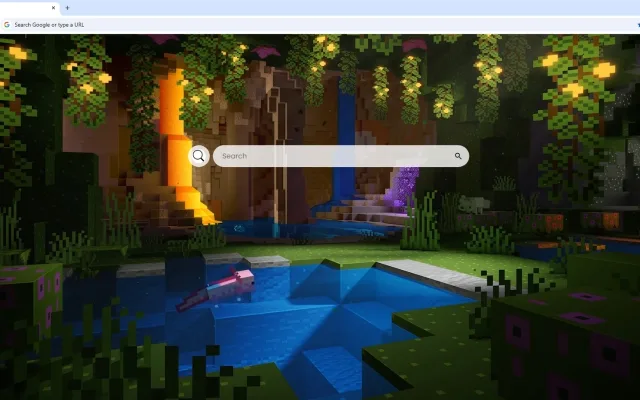
For over a decade, a simple game about placing blocks has evolved into a global canvas for human imagination. Minecraft is not just a game; it is a promise that if you can dream it, you can build it. Whether you are a survivalist conquering the End or a creative builder constructing mega-cities, the most thrilling moment is always the same: looking out over the horizon and wondering, "What’s out there?"
Now, you can capture that spirit of boundless exploration every time you open your browser. The Minecraft Chase the Skies Live Wallpaper is a breathtaking digital masterpiece that transforms your "New Tab" page into an epic aerial journey. Featuring Steve and his companions soaring aboard a magnificent flying contraption, this extension brings the vibrant, blocky world to life with cinematic flair.
In this article, we will explore the voxel artistry of this wallpaper, the productivity features that make it a must-have for gamers, and the history behind the mechanics that allow us to take flight in the Overworld.
A Voxel Masterpiece: Analyzing the Visual Experience
The primary allure of the Minecraft Chase the Skies Live Wallpaper is its ability to condense the infinite possibilities of a Minecraft seed into a single, stunning image. It moves beyond simple screenshots to create a dynamic piece of art that celebrates the game's unique aesthetic.
The Art of the Biome
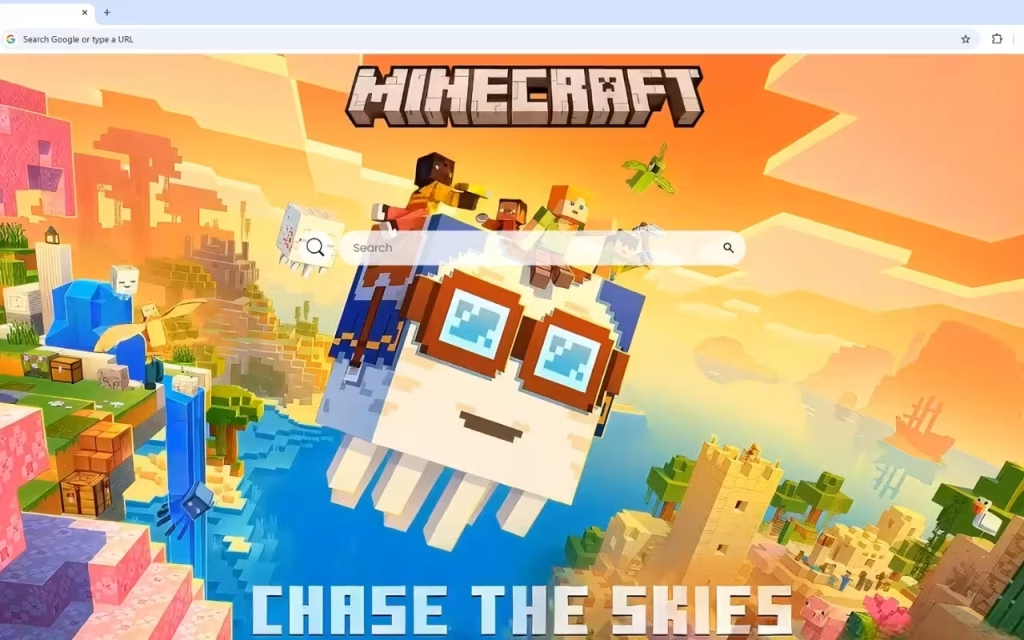
The composition features a breathtaking landscape rendered in Minecraft's signature voxel art style. It isn't just one biome; it is a tapestry of the game's most beautiful environments stretching across the horizon.
-
Diverse Landscapes: From lush green forests and sparkling blue waters to the arid beauty of desert villages.
-
The Cherry on Top: Fans of the recent "Trails & Tales" update will appreciate the inclusion of towering pink cherry blossom mountains. These vibrant pink leaves create a stark, beautiful contrast against the greenery.
-
Atmosphere: The lighting is crucial. The warm sunset sky creates a golden hour atmosphere that bathes everything in a magical glow. This lighting choice evokes the feeling of returning home after a long day of mining, making the adventure feel truly epic.
Engineering Dreams
At the center of the action, our heroes ride an incredible flying vessel.
-
Creativity: This isn't a standard Elytra flight; it is a testament to Minecraft's boundless creativity and engineering possibilities. The machine looks like something built with Redstone, pistons, and sheer ingenuity.
-
Detail: The detailed pixel art style brings every block to life with crisp textures and bold colors. The dynamic perspective creates a sense of movement, while flying creatures (perhaps Phantoms or Parrots) and floating islands add to the fantastical atmosphere.
More Than Blocks: Functional Features for Your Browser
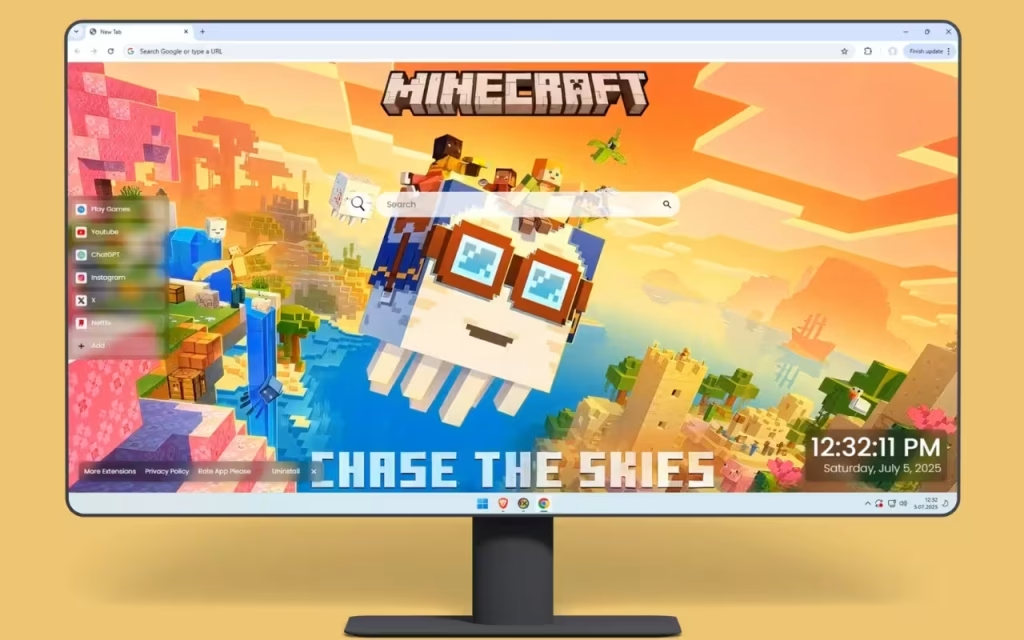
While the Minecraft Chase the Skies Live Wallpaper inspires your next build, the extension itself helps you build a better workflow. It transforms your browser into a functional crafting table for the internet.
Crafting Your Digital Workflow
Just as you organize your hotbar for efficiency, this extension organizes your web experience:
-
🔗 Popular Shortcuts: Speed is key. Get quick access to YouTube (for building tutorials), Netflix, ChatGPT, and other essential tools.
-
➕ Custom Shortcuts: Customize your inventory. Add your own favorite websites with ease, whether it’s the Minecraft Wiki, a server map, or your favorite streamer’s page.
-
🔍 Search Bar: A minimalist search bar is seamlessly connected to your default search engine. It allows you to search for crafting recipes or biome coordinates without obstructing the view of the sunset.
-
🕒 Clock & Date: The modern, clean display of current time and date ensures you don't lose track of real-world time while you are deep in the digital mines.
The "AFK" Break
-
🎮 Play Games: Waiting for your friends to join the server? The built-in entertainment options allow you to play casual games directly in your browsing breaks.
-
🚀 More Extensions: Enhance your journey with additional features, giving you the flexibility to mod your browser just as you would mod your game.
Standard Tab vs. The Sky Theme
To understand the upgrade, let's compare the default experience with this themed extension:
| Feature | Standard Chrome New Tab | Minecraft Chase the Skies Live Wallpaper |
| Visual Aesthetic | Blank White / Grey | Cinematic Voxel Art (Aerial View) |
| Atmosphere | Sterile / Boring | Epic, Adventurous, Creative |
| Biomes Featured | None | Cherry Grove, Desert, Forest, Ocean |
| Navigation | Recent Tiles Only | Fully Custom Shortcuts |
| Productivity | Search Only | Search + Clock + Date + Games |
The Phenomenon: Why We Chase the Skies
You might be asking, What is the origin of flight in Minecraft? and Why is this imagery so popular?
From Walking to Soaring
When Minecraft launched in 2011, players were grounded. The only way to see the world from above was to build a dirt tower ("nerd poling").
-
Creative Mode: Introduced early on, this allowed flight, giving birth to the "builder" community who treated the world as a canvas.
-
Redstone: Ingenious players used slime blocks and pistons to create actual moving flying machines, much like the vessel seen in the Minecraft Chase the Skies Live Wallpaper.
-
The Elytra: The 1.9 Combat Update changed everything by introducing the Elytra, allowing survival players to glide.
Why It Resonates
This wallpaper captures the "End Game" feeling. It represents the moment when you have conquered the survival elements and are now free to explore the world on your own terms. The inclusion of floating islands also nods to the popular "SkyBlock" game mode, celebrating the community's ability to create something from nothing.
Building Your Real-World Minecraft Sanctuary
If you have installed the Minecraft Chase the Skies Live Wallpaper, you have set the digital tone. But how to create a similar decoration theme in your physical room? Here is how to bring the Overworld to your desk.
1. The Lighting (Golden Hour)
The wallpaper features a "warm sunset sky."
-
Smart Bulbs: Install smart bulbs in your room and set them to Golden Amber or Soft Orange. This mimics the in-game lighting just before the hostile mobs come out.
-
The Torch: Buy a replica Minecraft Wall Torch. It is the ultimate desk accessory that bridges the gap between the game and reality.
2. Textures and Biomes
-
Grass Block Desk Mat: Look for a desk mat that features the pixelated grass texture.
-
Cherry Blossom Accents: To match the new biomes in the wallpaper, add some pink accents to your setup—perhaps a pink keyboard cable or artificial cherry blossom branches in a vase.
3. Tips for Collectors
-
LEGO Minecraft: The The Sky Tower or The Cherry Blossom Garden LEGO sets are perfect companions for this theme. Displaying them next to your monitor creates a seamless transition from physical bricks to digital voxels.
-
Mattel Figures: Look for the "Creator Series" figures. They often feature more whimsical, customized skins that match the unique look of the heroes in the wallpaper.
The Minecraft Chase the Skies Live Wallpaper is a celebration of the creative spirit. It captures the essence of a game that has no ending, only new beginnings. By showcasing a world bursting with vibrant colors and endless possibilities, it inspires you to approach your daily tasks with the same creativity you bring to your server.
By combining breathtaking visuals with practical tools like custom shortcuts, integrated games, and a clean UI, the extension offers a browsing experience that is as open and free as the Minecraft sky.
Are you ready to punch the leaves and fly?
We want to hear from you!
-
Which is your favorite Minecraft biome to build in: The Cherry Grove, The Badlands, or the classic Plains?
-
Have you ever built a working Redstone flying machine?
Let us know in the comments below!