In the vast, procedurally generated universe of gaming, few images evoke a sense of home quite like a simple wooden house on a blocky horizon. For millions of players, the act of punching wood and crafting a shelter is a rite of passage—a transition from survival to creativity. But what if you could capture that feeling of accomplishment and serenity without even launching the game?
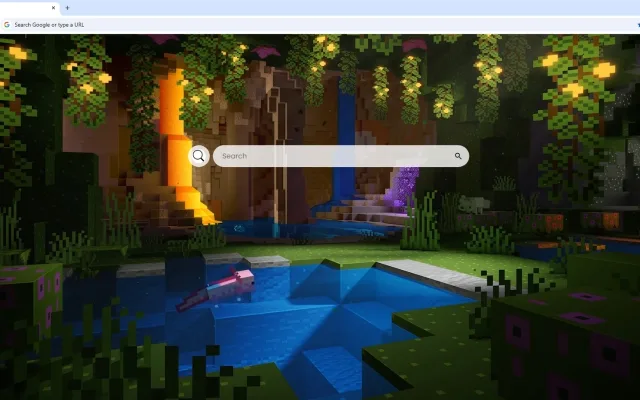
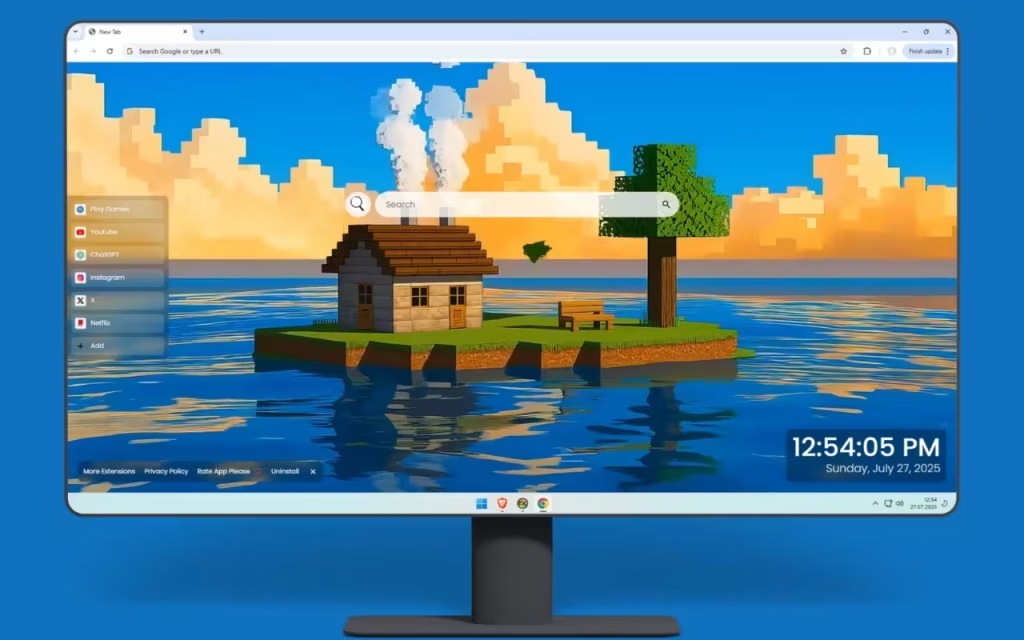
The Minecraft Island Live Wallpaper offers exactly that. It transforms your chaotic browser experience into a self-sufficient paradise. Picture a serene floating island surrounded by crystal-clear blue waters, where a cozy wooden house sits perfectly on the grass-covered landmass. This isn't just a background; it is a digital sanctuary where the nostalgia of the world’s best-selling game meets modern productivity.
In this deep dive, we will explore the artistic details of this blocky masterpiece, the history behind the "Skyblock" aesthetic, and how this extension equips your browser with tools as essential as a diamond pickaxe.
Deconstructing the Pixelated Paradise: A Visual Tour
The visual appeal of the Minecraft Island Live Wallpaper lies in its ability to balance simplicity with cinematic depth. It captures the essence of peaceful survival gameplay through meticulous composition.
The Architecture of Comfort
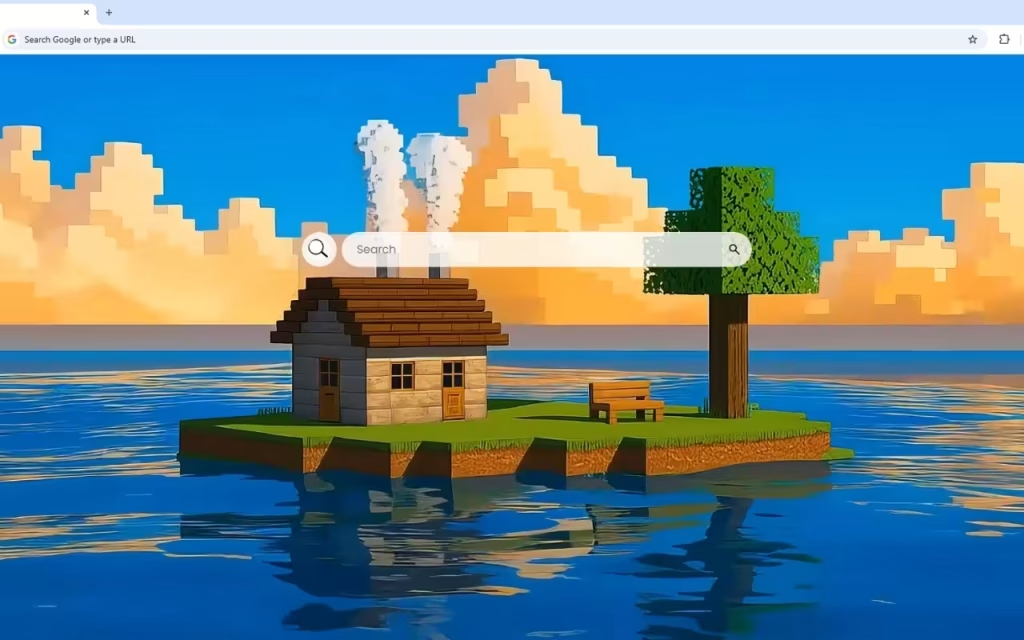
At the heart of the scene is the cozy wooden house. With glowing windows that suggest a warm, welcoming interior, it invites the viewer to imagine a crackling furnace and a double chest full of loot inside. Smoke gently rises from the chimney, a subtle animation that adds life to the static blocks.
The environment is crafted with purpose. A single oak tree provides natural beauty and represents the infinite potential of saplings in survival mode. Beside it, a simple wooden bench offers the perfect spot to watch stunning sunsets. This island isn't just a spawn point; it’s a home.
Shaders and Shadows: The Cinematic Touch
What separates this wallpaper from a standard screenshot is the lighting. The expansive sky features fluffy, pixelated clouds rendered in warm sunset hues of orange and gold. This lighting creates a peaceful atmosphere that transitions beautifully from day to evening.
Furthermore, the water isn't the flat blue texture of the game's alpha days. It features realistic reflections that mirror both the island and the sky. The island's layered earth blocks are visible beneath the waterline, showcasing Minecraft's distinctive geological structure while adding a layer of depth that feels like a high-end "shader pack" come to life.
Do you play Minecraft with high-end shaders to make the water look realistic, or do you prefer the classic vanilla look? Share your preferences in the comments below!
More Than Just Blocks: Functional Features for the Modern Gamer
A pretty view is nice, but a true builder knows that utility is king. The Minecraft Island Live Wallpaper is designed to be a functional dashboard for your daily digital adventures. It equips your "New Tab" page with a hotbar of essential tools.
Your Command Block Center
This extension integrates seamless productivity features directly into the idyllic scene:
-
🔗 Popular Shortcuts: Just as you organize your inventory, this feature organizes your digital life. Get quick access to YouTube, Netflix, ChatGPT, and more.
-
➕ Custom Shortcuts: Build your own path. Add your favorite websites—whether it’s the Minecraft Wiki, a server map, or your school portal—with ease.
-
🔍 Search Bar: Seamlessly connected to your default search engine, this tool allows you to mine the internet for information without leaving your island retreat.
-
🕒 Clock & Date: A modern, clean display ensures you never lose track of time (so you don't stay up until the phantoms spawn!).
Balancing Work and Play
-
🎮 Play Games: Need a break from the grind? The built-in entertainment options offer quick distractions during your browsing breaks.
-
🚀 More Extensions: Enhance your journey with additional features, allowing you to mod your browser experience just like you mod your game client.
Comparison: Vanilla Tab vs. The Island Sanctuary
To understand the upgrade, let's compare a standard browser experience to this customized environment.
| Feature | Standard Browser Tab | Minecraft Island Live Wallpaper |
| Visual Experience | Stark White or Static Logo | Dynamic, Cinematic Floating Island |
| Atmosphere | Sterile, Corporate | Cozy, Nostalgic, "Home" |
| Navigation | Basic History Tiles | Custom & Popular Shortcuts |
| Lighting | Harsh Blue Light (Standard) | Warm Sunset/Golden Hour |
| Utility | Search Only | Clock, Date, Games & Search |
| Emotional Impact | None | Inspiration & Relaxation |
The Skyblock Phenomenon: Origins and Inspiration
Why are we so drawn to the image of a floating island? To understand the popularity of the Minecraft Island Live Wallpaper, we have to look at the history of the community.
The Legacy of Skyblock
The concept of a floating island with a single tree and limited resources traces back to the legendary "Skyblock" map. Released in the early 2010s, it challenged players to survive in the void with almost nothing. It became a cultural phenomenon, teaching players that with creativity and knowledge of mechanics, they could build a world from a single block of dirt.
This wallpaper pays homage to that legacy. It represents the "ultimate builder's dream"—a self-sufficient paradise where every block has been placed with purpose and care. It isn't just a house; it is a trophy of survival.
The Psychology of Cozy Gaming
The scene also taps into the "Cozy Gaming" trend. The combination of the wooden bench, the sunset, and the tranquil water triggers a relaxation response. In a high-stress world, having a digital window into a simple, blocky life provides a moment of Zen before you tackle your emails or homework.
Bringing the Biome Home: DIY and Collector Tips
If the Minecraft Island Live Wallpaper inspires you, why stop at your screen? You can bring the aesthetic of the blocky universe into your physical room or your own game save.
Recreating the Look In-Game
To build the scene from the wallpaper in your own world, focus on these elements:
-
Terraforming: Don't just build a flat platform. Layer dirt and stone underneath to create a tapered, floating island shape.
-
Palette: Use Oak Wood and Cobblestone for that classic, nostalgic feel. Use Spruce Trapdoors to detail the windows.
-
Shaders: To get the "realistic reflections" and "warm sunset hues," install a shader pack like BSL Shaders or Complementary Reimagined. These add the cinematic lighting seen in the artwork.
Tips for Collectors and Decorators
-
Lighting: Use a square "Redstone Ore" nightlight or a "Torch" wall mount to match the glowing windows of the digital house.
-
Desk Setup: A brown or green desk mat can mimic the grass and earth blocks, grounding your setup in the game's color palette.
-
Soundscapes: Pair the wallpaper with a playlist of C418’s original soundtrack (specifically "Sweden" or "Wet Hands") to fully immerse yourself in the atmosphere.
The Minecraft Island Live Wallpaper is more than just a nod to a video game; it is a tribute to the spirit of creativity. It captures that fleeting, perfect moment in the game where the monsters are gone, the house is built, and you can finally sit on a bench and watch the sun dip below the horizon.
By combining this "idyllic retreat" with practical tools like Custom Shortcuts and a Modern Clock, the extension creates a browsing experience that is both efficient and emotionally grounding. It turns your computer into a portal to your own private server, where the only limit is your imagination.
Next Step: Are you ready to spawn into a better browsing experience? Search for the Minecraft Island Live Wallpaper in your browser's extension store today and start building your digital paradise.
What is your favorite wood type to build with in Minecraft: classic Oak, dark Spruce, or the new Cherry wood? Let us know in the comments!