For millions, the
Minecraft experience isn't just about fighting the Ender Dragon or high-stakes survival. It's about the quiet moments: the rhythmic
thwack of a pickaxe, the gentle glow of a torch, and the deep satisfaction of returning to a well-built home. It’s a feeling of creative sanctuary.
Now, imagine capturing that exact feeling every time you open a new browser tab. You're greeted by a cozy evening scene, a
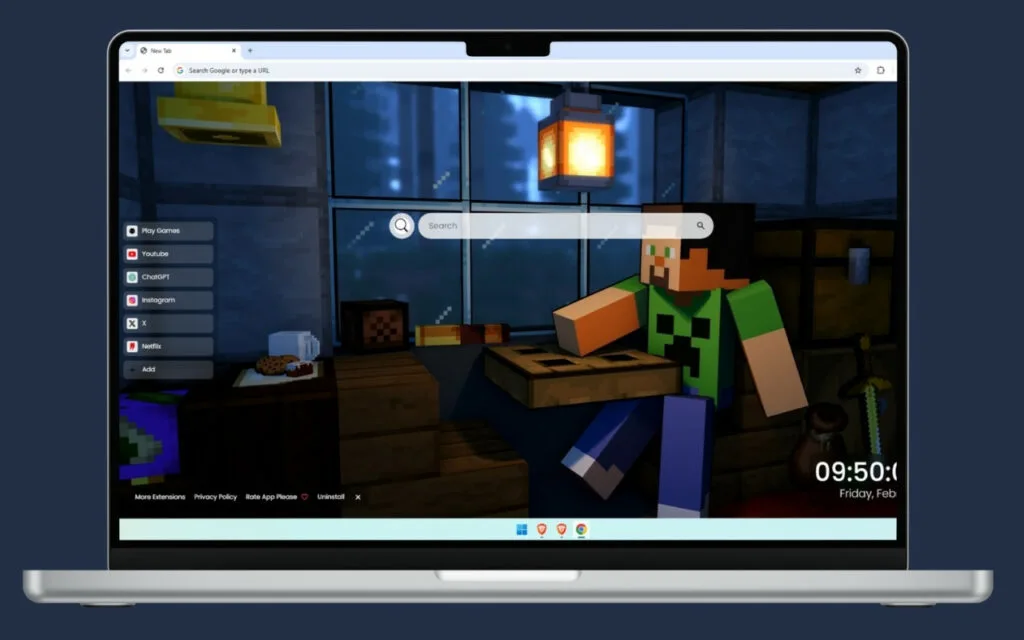
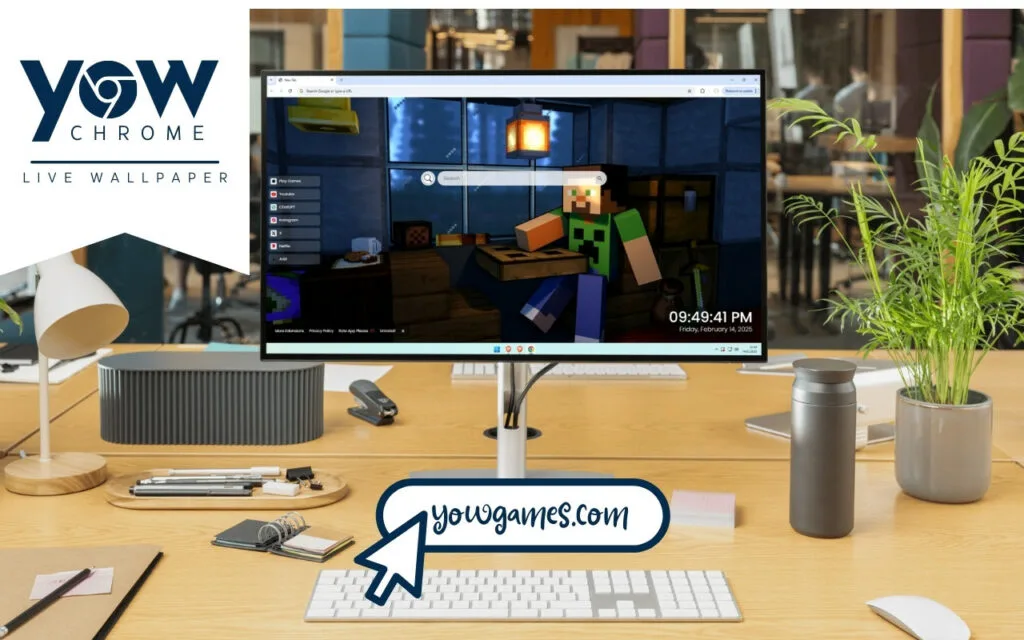
Minecraft wallpaper featuring the icon himself, Steve. He's in his crafting room, wearing his signature blue shirt and a fan-favorite Creeper-design top. The scene is bathed in the atmospheric lighting of a glowing lantern, illuminating small, lived-in details like cookies on the crafting table and various items scattered around.
This isn't just a static image. It's a complete, interactive dashboard that blends the game's beloved blocky aesthetic with the real-world tools you need. This article digs deep into the origins of this iconic
Minecraft scene, why this functional theme is so appealing, and how you can build your very own digital crafting room.
The Heart of the World: The Appeal of Steve & the Crafting Room
To understand why this
Minecraft wallpaper resonates so deeply, we have to look at its core components. The scene isn't just a random assortment of blocks; it's a perfect snapshot of the
Minecraft "loop"—survival, creativity, and comfort.
The Icon in the Blue Shirt
Who is Steve? He is the original, default player avatar in
Minecraft. He is, in essence,
us. With his simple blue shirt and jeans, Steve is one of the most recognizable characters in video game history. He is a blank slate, a silent protagonist onto whom millions of players project their own goals and adventures.
- A Symbol of Creativity: Steve represents limitless potential. He can be a master architect, a brave explorer, a redstone engineer, or a humble farmer.
- A Familiar Face: In a world of randomly generated landscapes, Steve is the one constant. Seeing him in this cozy Minecraft theme is like seeing an old friend. The addition of the Creeper top is a fun, meta-nod to the game's most infamous mob—a sign of a seasoned player.
The Crafting Room: A "Safe Space" from the Creepers
In
Minecraft, your base is your sanctuary. The crafting room is the heart of that base. The crafting table itself is arguably the most important block in the game; it’s the gateway to every tool, weapon, and piece of armor.
This
Minecraft wallpaper captures the
feeling of that sanctuary. After a long "day" of mining or exploring, returning to your crafting room—with its warm lantern light, organized (or not-so-organized) chests, and a snack of cookies on the table—is the ultimate reward. It’s a space safe from the zombies, skeletons, and (most importantly) the Creepers. This "lived-in" feeling, with scattered items, is what makes it feel like a
home and not just a functional box.
What's the one item you
always have in your in-game crafting room or base?
More Than a Wallpaper: A Functional Crafting Bench for Your Browser
The true genius of this theme is that it mirrors the
Minecraft experience: it takes a beautiful environment and makes it functional. This cozy crafting room isn't just for show; it's a fully-equipped dashboard for your digital life.
It turns your browser's "new tab" into a digital crafting table, giving you the tools to build your day.
Your Digital Toolkit, Organized
Just like you'd organize your hotbar, this theme organizes your most-used web tools.
- 🔗 Quick Access Shortcuts: These are your "enchanted tools." Instant access to the essentials like YouTube, Netflix, and ChatGPT. No more digging through bookmarks.
- ➕ Custom Shortcuts: This is your personal "shulker box." You can add direct links to whatever you need—your school portal, your work email, your favorite Minecraft wiki, or a building tutorial.
- 🔍 Search Bar: Seamlessly connected to your default search engine, this is your "map" to the entire overworld of the internet.
Build, Work, and Play
The theme's utility doesn't stop there. It provides core functions that keep you anchored, blending your digital tasks with the cozy game aesthetic.
- 🕒 Clock & Date: A clean, modern display ensures you don't lose track of time—a common problem for Minecraft players! It's the "day/night cycle" for your real life.
- 🎮 Play Games: Need a break from a long project? This theme includes built-in entertainment, a perfect way to relax in your digital "base" without fear of a surprise Creeper.
This functional
Minecraft wallpaper effectively applies the game's core loop—gathering resources (information) and crafting them (working on projects)—to your everyday browsing.
How to Build Your Own Cozy Minecraft Setup (On-Screen & In-Game)
Inspired by this
Minecraft Steve Live Wallpaper? You can expand this cozy, blocky aesthetic beyond your browser and even replicate it inside the game. Here’s how.
Tips for Your In-Game Minecraft Build
If you want to build a crafting room
in-game that feels just as warm and lived-in as the one in the wallpaper, focus on the details.
- Warm Lighting: Ditch the sterile glowstone. Use Lanterns (as seen in the theme) or Soul Lanterns for a softer, more atmospheric light. Torches can also add a rustic, classic feel.
- Texture & Materials: Don't just use plain stone. Mix in different wood planks (like Spruce or Dark Oak) for floors and walls. Use Wool for carpets to dampen sound and add a splash of color.
- "Clutter" is Key: A "lived-in" room isn't empty.
- Place Item Frames on walls and put tools, maps, or food in them.
- Use Flower Pots with different plants.
- Place a Cake or, like in the theme, Cookies (represented by an item on a block or pressure plate) on a table.
- Add Bookshelves, Barrels, and Chests to make it look like a functional workshop.
Standard Browser vs. Cozy Crafting Room Theme
This table summarizes the upgrade you get when you move from a default browser tab to this interactive
Minecraft wallpaper theme.
| Feature |
Standard Browser New Tab |
Interactive Minecraft Wallpaper Theme |
| Aesthetics |
Blank white page or generic search bar. |
Cozy, atmospheric Minecraft crafting room with Steve. |
| Vibe |
Sterile, cold, and purely functional. |
Warm, nostalgic, and creative. |
| Quick Access |
A few "most visited" sites, often cluttered. |
Curated, icon-based shortcuts (🔗 YouTube, 🔗 Netflix). |
| Personalization |
Very limited; maybe a static background image. |
Deep personalization with ➕ custom shortcuts for any website. |
| Integrated Tools |
Just the search bar. |
🔍 Search, 🕒 Clock & Date, and 🎮 Games all in one hub. |
Your Digital Base of Operations
This
Minecraft wallpaper theme is a perfect example of how our digital spaces are evolving. We no longer want tools that are just functional; we want them to be personal, inspiring, and a reflection of our passions.
By capturing the quiet, creative sanctuary of a
Minecraft crafting room, this theme does more than just look good. It provides a momentary, cozy escape and a sense of calm every time you start a new task. It transforms your browser from a simple tool into your own digital base of operations—a place where you can build, explore, and create, all with Steve keeping watch.
What does your ideal cozy
Minecraft theme look like? Would it be a mountaintop base, a sprawling underground library, or something else? Let us know your ideas in the comments!