Does your digital study space feel uninspired? You have the aesthetic highlighters, the organized planner, and the perfect Lo-Fi study playlist, but your browser still displays that same, monotonous white arrow. In an era where students and teachers spend hours navigating Learning Management Systems and research databases, the visual environment of your browser plays a massive role in your motivation.
It is time to bring the excitement of a fresh stationery haul to your screen.
In this extensive guide, we explore the vibrant world of the Back to School Cursor ★ Custom Cursor for Chrome™. We will delve into its features, the psychology behind digital personalization, and how a simple change in interface can make your academic life just a little bit brighter.
The Digital Pencil Case: What is the Back to School Cursor?
Imagine opening a brand-new pencil case filled with sharp pencils, colorful erasers, and crisp rulers. That is exactly what this extension brings to your Google Chrome browser. It is a digital modification tool that replaces the standard system mouse pointer with high-quality, education-themed pixel art.
Designed for students, educators, and lifelong learners, this extension transforms the mundane act of clicking into a thematic experience. With 70+ Creative Cursors, it offers a comprehensive library of designs that celebrate the academic spirit.
A Library of Academic Aesthetics
The core appeal of this extension lies in its variety. It isn't just about changing the color of your arrow; it is about adopting a persona for your browsing session. The collection includes:
-
📚 Classic Supplies: Detailed notebooks, textbooks, and composition pads.
-
✏️ Writing Tools: Sharp pencils, fountain pens, and colorful markers.
-
📏 Classroom Gear: Protractors, rulers, and the classic chalkboard look.
-
🍎 Teacher Favorites: Red apples, gold stars, and "A+" grades.
Quick Question: If you could turn any school supply into a cursor that isn't on this list, what would it be? A scientific calculator? A messy art palette? Let us know in the comments!
Essential Technical Features
Beyond the visuals, a browser extension must be functional. This tool is built with user experience (UX) in mind, ensuring that "fun" doesn't mean "slow."
-
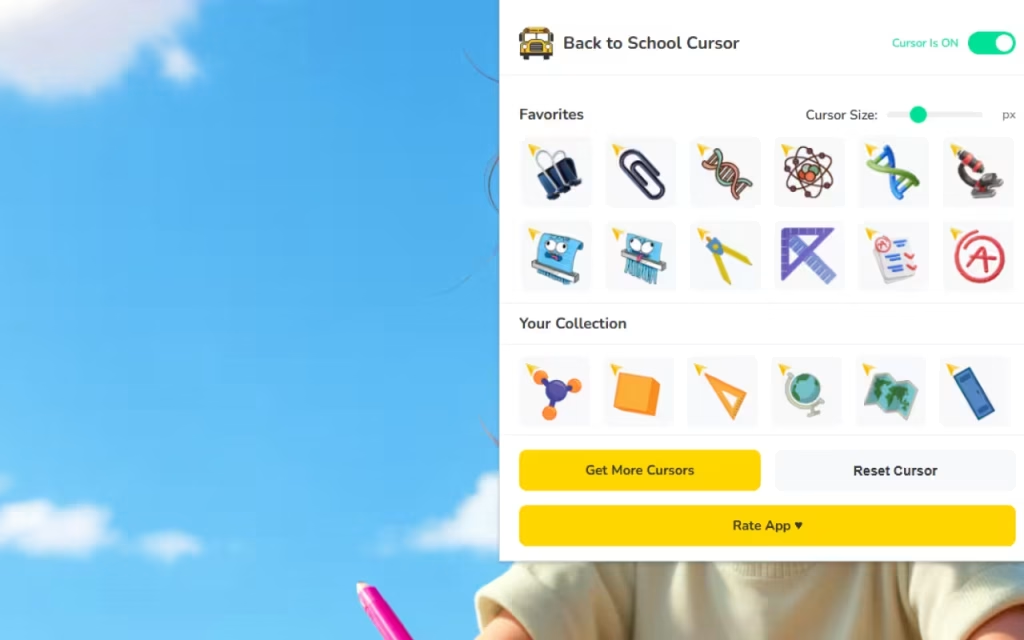
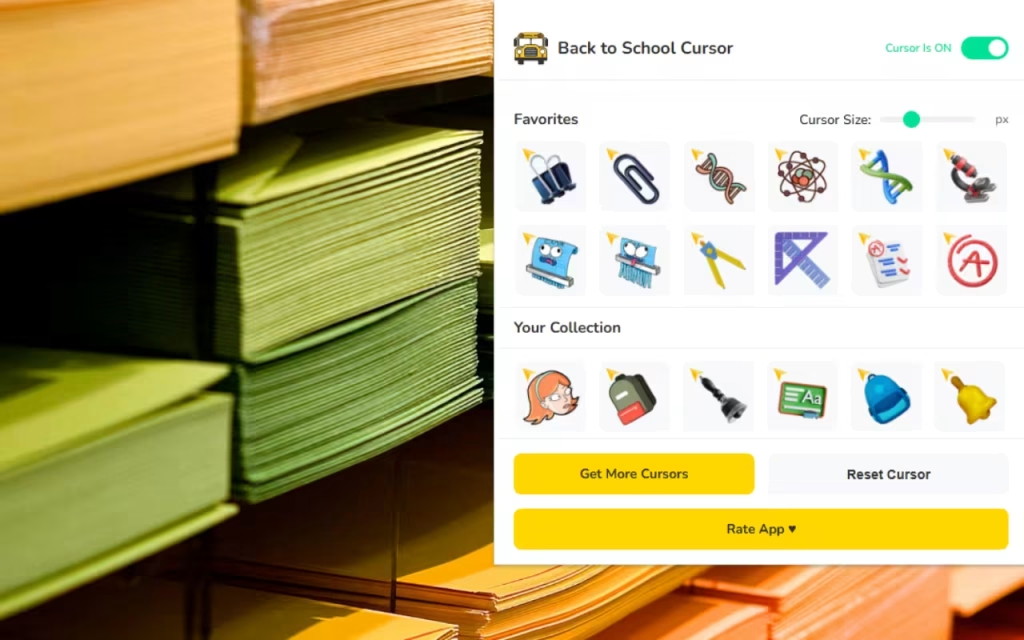
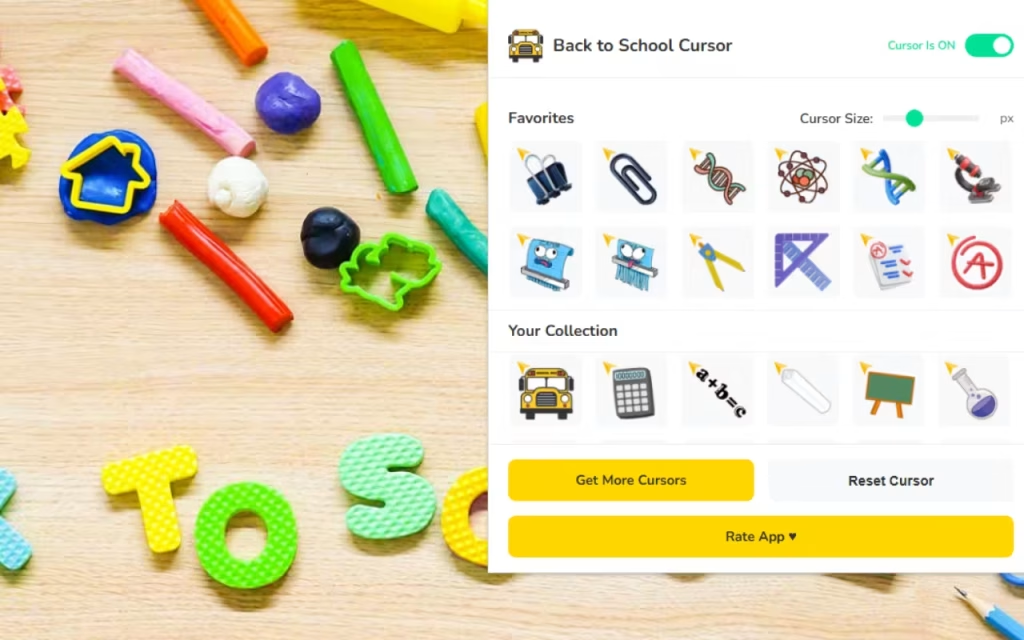
⭐ Favorites Feature: Just like you have a favorite pen in real life, you will likely have a favorite cursor. This system allows you to mark your top picks for quick access, saving you from scrolling through the full list of 70 options every time.
-
📏 Adjustable Size: Accessibility is key. Whether you are working on a small 13-inch laptop or a massive desktop monitor, you can resize the cursor between 16px and 128px. This ensures the cursor is always visible but never obtrusive.
-
⚡ One-Click Switch: The interface is designed for instant gratification. Click a design, and it applies immediately.
-
🔘 Toggle Button: Need to revert to the standard cursor for a specific professional presentation? The easy on/off toggle makes this seamless.
-
🚀 Optimized Performance: One of the primary concerns with extensions is lag. This tool is lightweight, ensuring your research tabs load fast without utilizing excessive RAM.
Why Do We Customize?
You might be asking, "Why is a cursor extension so popular?" The answer lies in the concept of "Digital Nesting."
Just as we decorate our physical dorm rooms or classrooms to feel comfortable and motivated, we possess an innate desire to claim ownership of our digital spaces. This phenomenon has exploded in popularity with the rise of remote learning and digital-first education.
From Windows 98 to Modern Chrome
The origin of cursor customization dates back to the early days of personal computing (Windows 95/98), where users would download theme packs to change their hourglass icons into dinosaurs or spaceships. However, those early iterations were often clunky and system-wide.
Modern extensions like the Back to School Cursor ★ Custom Cursor for Chrome™ represent the evolution of this trend. They use safer, sandboxed web technologies (CSS and JavaScript) to alter the appearance only within the browser, protecting your core operating system while providing that nostalgic joy of customization.
Boosting Motivation Through Micro-Interactions
Every time you click a link, close a tab, or highlight text, you are performing a "micro-interaction." When you replace a standard arrow with a vibrant educational item, you add a tiny spark of dopamine to that interaction.
-
For Students: It makes the daunting task of writing an essay feel more like a creative project.
-
For Teachers: It adds a layer of fun to grading or lesson planning, and can even be a talking point if you share your screen during virtual classes.
DIY and Design: How Are These Created?
For the artistic minds reading this, you might be curious about the creation process behind these miniature masterpieces. How does a backpack become a cursor?
The Art of Pixel Perfection
Creating a cursor is a specific discipline of graphic design. Because the image is small (often starting at 32x32 pixels), the artist must be incredibly precise.
-
The Concept: The artist sketches a school item, simplifying complex shapes.
-
The Grid: The design is transferred to a pixel grid. High contrast is essential so the cursor doesn't disappear against white web pages.
-
The Hotspot: This is crucial. Every cursor has a "hotspot"—the single pixel that registers the click. For a pencil cursor, the hotspot must be the very tip of the lead. If the hotspot is off, the user will struggle to click links accurately.
Tip: If you are inspired to create your own, start with a simple 32x32 canvas in any digital art software and export your creation as a transparent PNG!
Curating Your Digital Pencil Case
With 70+ options available, it is easy to get overwhelmed. Here are some tips for "collectors" to get the most out of the extension.
1. Subject-Based Switching
Why stick to one cursor? Match your cursor to your homework:
-
Math Class: Switch to the ruler, calculator, or protractor cursor.
-
English/Literature: Use the fountain pen or open book cursor.
-
Lunch Break: Switch to the apple or juice box cursor for a fun break.
2. Managing Visibility
While the 128px size is fun, it can sometimes block text.
-
Recommendation: Keep your cursor size between 32px and 48px for the perfect balance of style and usability.
-
Use the Toggle Button swiftly if you are doing pixel-perfect design work where you need the precision of a standard pointer.
Standard vs. School Themed
Is it worth the install? Let’s look at the data in a direct comparison.
| Feature | Standard Browser Cursor | Extension |
| Visual Appeal | Neutral, Corporate, Plain | Vibrant, Colorful, Fun |
| Variety | 1 Option (Arrow) | 70+ Creative Cursors |
| Customization | System-wide settings only | Instant resizing & swapping |
| Mood Impact | Neutral | motivational, Thematic |
| Target Audience | General Public | Students, Teachers, Creatives |
| Installation | Pre-installed | Lightweight & Fast Install |
The Back to School Cursor ★ Custom Cursor for Chrome™ is more than just a digital toy; it is a tool for expression. In a world where so much of our academic life happens on a screen, taking control of your visual environment is a small but powerful way to stay engaged.
Whether you are a teacher looking to add some flair to your screen-shares, or a student trying to find the motivation to finish that term paper, these 70+ school-themed cursors offer a perfect blend of nostalgia, functionality, and fun.
We want to hear from you: Do you prefer the classic "Pencil" cursor or the "Notebook" cursor? Or is there a specific school supply you think is missing from the pack? Drop a comment below!







