Is your daily browsing mission feeling a little... predictable? You navigate the same websites, click the same buttons, and stare at the same standard white arrow. For fans of the global anime phenomenon Spy x Family, the ordinary just isn't enough. We crave the excitement of espionage, the elegance of an assassin, and, most importantly, the chaotic cuteness of a telepathic child.
It is time to accept a new mission: Operation Decoration.
In this in-depth guide, we explore the Spy x Family Cursor ★ Custom Cursor for Chrome™, a fan-made modification that brings the Forger family directly to your screen. We will analyze its features, explore the origins of the anime that inspired it, and discuss why digital customization is the secret weapon for a happier online experience.
What is the Spy x Family Cursor Extension?
The internet is a battlefield of information, and your cursor is your primary weapon. This extension acts as your personal arsenal, replacing the default system pointer with high-quality, pixel-perfect art from the world of Spy x Family.
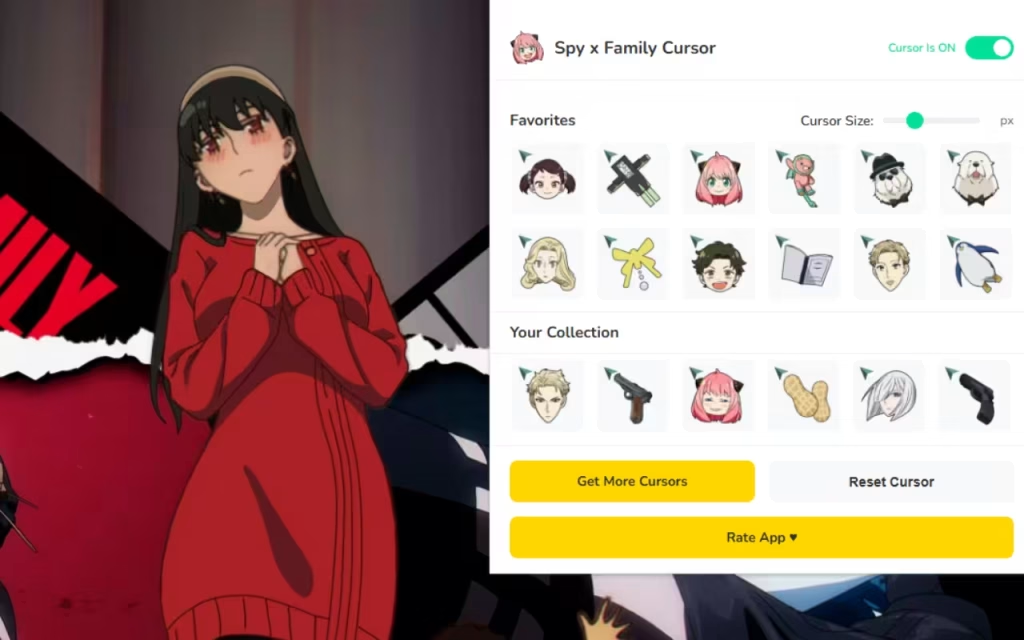
With over 70+ unique cursors, this tool allows you to swap the mundane for the extraordinary. Whether you want the cool professionalism of Loid Forger (Twilight) or the hilarious expressions of Anya, this extension transforms every click into a moment of joy.
Unpacking the Features
Why is this specific extension gaining traction among anime communities? It combines aesthetic appeal with robust functionality. Let’s break down the specs:
-
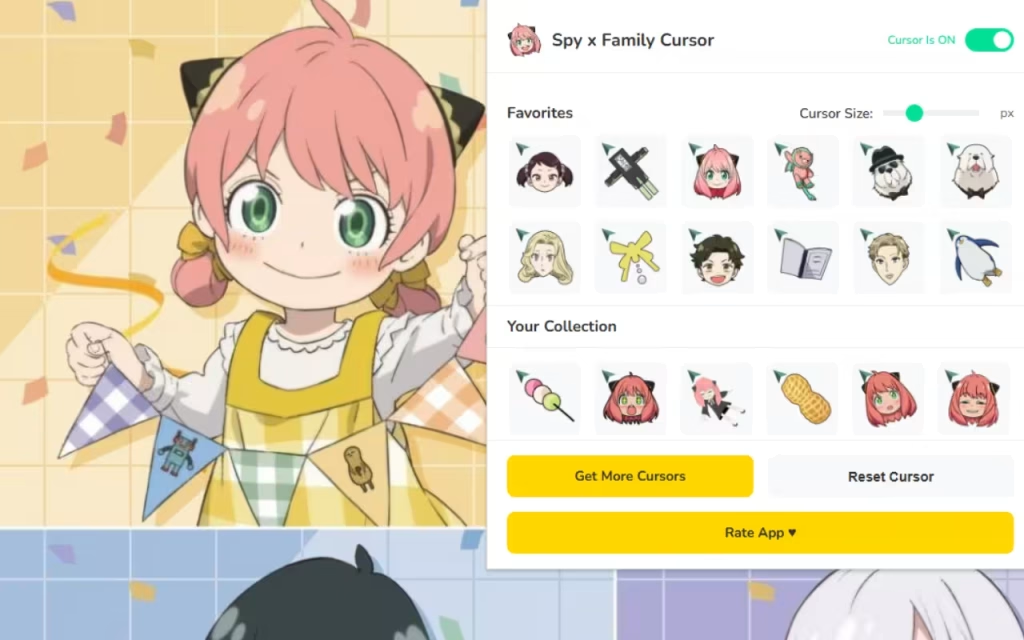
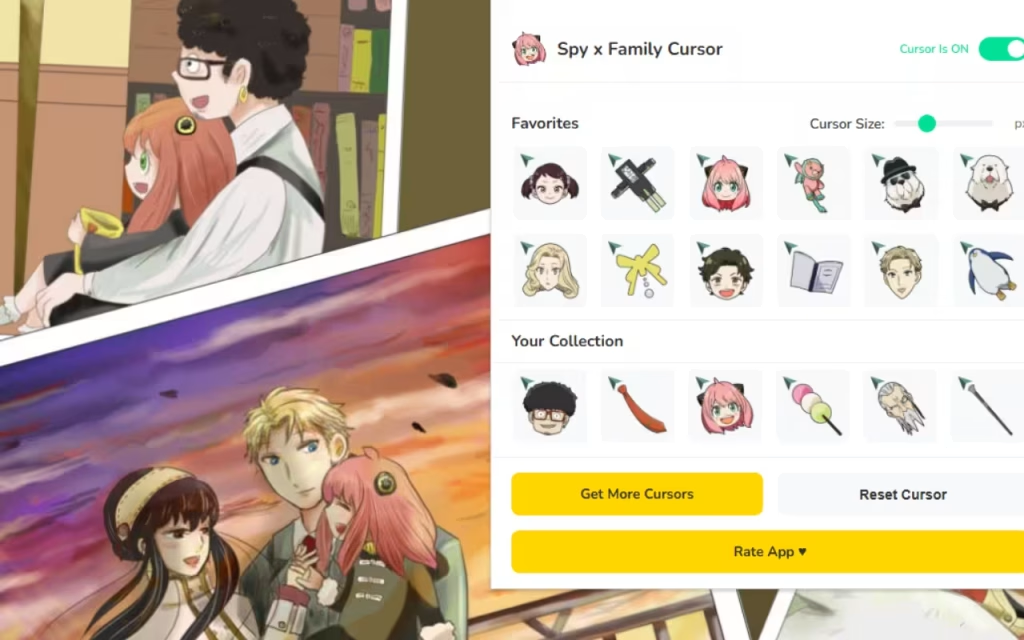
🎯 70+ Unique Cursors: The collection is vast. It covers the main cast—Loid, Yor, Anya, and Bond—but also includes specific props like Anya's peanuts, Loid's pistol (silenced, of course), and Yor's golden thorns.
-
⭐ Favorites System: Just as Loid memorizes every detail of a mission, you can save your "Critical Success" cursors. The favorites tab allows you to mark your top picks for instant access.
-
📏 Adjustable Size: Not all screens are created equal. This feature lets you scale your cursor from a discreet 16px to a massive 128px for maximum visibility.
-
⚡ One-Click Switch: Speed is essential for a spy. Change your identity (or at least your cursor) instantly with a single click.
-
🔘 Toggle Extension: Need to go undercover and use a normal mouse for a moment? The easy on/off toggle gives you total control.
-
🚀 Lightweight Performance: This extension is optimized to run smoothly, ensuring your browser doesn't lag during crucial missions.
Meet the Agents on Your Screen
The true strength of this pack lies in its character diversity:
-
Loid Forger (Twilight): Perfect for work or research. His cursors often feature sharp lines, suits, and a serious demeanor.
-
Yor Forger (Thorn Princess): distinct and elegant. Her cursors feature roses, thorns, and her iconic assassin attire.
-
Anya Forger: The star of the show. Expect "Waku Waku" (excitement) faces, smug grins, and plenty of peanuts.
-
Bond Forger: The clairvoyant dog brings a fluffy, calming presence to your screen.
Quick Question for the Comments: If you could have a cursor of any minor character—like Becky Blackbell or Damian Desmond—who would it be and why?
Origins of the Hype: Why We Love the Forgers
To understand why thousands of users are installing this extension, we must look at the source material. Spy x Family isn't just an anime; it’s a cultural reset.
From Manga to Global Phenomenon
Created by Tatsuya Endo, Spy x Family began serialization in Shōnen Jump+ in 2019. The premise is genius in its absurdity: a spy must build a fake family to infiltrate an elite school, but he accidentally adopts a telepathic daughter and marries a professional assassin. None of them know each other's secrets (except the daughter).
The series exploded in popularity because it perfectly balances high-stakes action with wholesome, slice-of-life comedy. By installing the Spy x Family Cursor ★ Custom Cursor for Chrome™, fans are extending that sense of "found family" warmth to their digital environment.
The Psychology of "Waku Waku"
Why do we customize our browsers? The answer lies in Digital Identity.
We spend a significant portion of our lives online. Leaving your browser interface on "default" is like living in a house with bare white walls. Customization, or "Digital Nesting," allows users to exert control over their environment.
When you see a tiny Anya smiling back at you while you write a difficult email, it triggers a micro-dose of dopamine. It reminds you of the humor and heart of the show, reducing the stress of the task at hand. It brings the "Waku Waku" (excitement) to the mundane.
How to Create a Similar Decoration
Perhaps browsing the 70+ cursors has inspired the artist in you. You might be wondering, "How are these actually made?"
Creating a custom cursor is a fantastic entry point into the world of digital art and coding.
The Art of Pixel Precision
Most cursors in this pack are designed using Pixel Art.
-
The Canvas: Artists work on small grids, typically 32x32 pixels.
-
The Challenge: The challenge is capturing a character's essence with limited dots. Anya’s pink hair and hair ornaments must be instantly recognizable even when tiny.
-
The Hotspot: This is the technical anchor. Every cursor image has a defined "hotspot" (usually top-left). If you design a cursor of Loid pointing a gun, the "bullet" or tip of the barrel must be the active pixel that clicks links.
The Code Behind the Curtain
For the tech-savvy, extensions like this operate using a manifest.json file. This file tells Chrome: "I have permission to modify the active tab's CSS." It then injects a simple line of code that overrides the default cursor: auto style with cursor: url('image.png'), auto.
Tips for Collectors: Managing Your Arsenal
With 70+ options, it is easy to get overwhelmed. You don't want to spend 20 minutes deciding on a cursor every time you open Chrome. Here are some strategies for managing your collection.
Contextual Usage
Treat your cursors like Loid treats his disguises—change them to fit the mission.
-
The "Study Mission": Use a cursor of Loid reading a newspaper or Anya studying (struggling). It sets a tone of focus.
-
The "Relaxation Mission": Switch to Bond sleeping or Anya eating peanuts for watching YouTube or browsing social media.
-
The "Stealth Mode": If you are screen-sharing for a presentation, use the Toggle Button to revert to the standard arrow, then switch back to Yor’s daggers once the meeting is over.
Standard vs. Spy x Family
Is it worth the download? Let’s compare the data.
| Feature | Standard System Cursor | Spy x Family Cursor Extension |
| Visual Style | Plain White/Black Arrow | 70+ Anime Themed Designs |
| Customization | System-wide settings only | Instant Browser Swapping |
| Sizing | Fixed by OS | Adjustable (16px - 128px) |
| Emotional Impact | Neutral / Boring | High (Nostalgic & Fun) |
| Resource Usage | Zero | Lightweight / Optimized |
| Target Audience | General Public | Anime Fans, Students, Gamers |
Why Is It So Popular?
The Spy x Family Cursor extension has skyrocketed in popularity for three key reasons:
-
Aesthetics: The art style of the show translates beautifully to small icons. The distinct color palettes—Loid’s sage green, Yor’s deep red, and Anya’s pastel pink—pop against web backgrounds.
-
Usability: Unlike older desktop themes that would slow down your computer, this extension is lightweight. It uses modern web standards to ensure your browsing remains fast.
-
Community: It is a Fan-Made project. It feels like it was made by people who understand the memes (like Anya's "Heh" face), creating a connection between the developer and the user.
The Spy x Family Cursor ★ Custom Cursor for Chrome™ is more than just a novelty; it is a way to inject personality into your digital workspace. By bringing Loid, Yor, Anya, and Bond into your browser, you turn every click into a connection with one of the most heartwarming stories in modern anime.
With robust features like One-Click Switching, Adjustable Sizing, and a massive library of 70+ Cursors, it offers a perfect blend of style and functionality.
Mission Accepted? Head over to the Chrome Web Store and recruit the Forger family for your browser today. Your next internet search is about to get a lot more elegant.We want to hear from you: Do you prefer the cool, professional cursors of Loid, or the chaotic, funny cursors of Anya? Drop your preference in the comments below!