Imagine a world where the glitz and glamour of a sold-out stadium tour collide with the high-stakes intensity of a fantasy RPG. In this realm, the microphone is as deadly as a broadsword, and stage outfits are designed for both choreography and combat. This is the aesthetic of the KPop Demon Hunters Cursor ★ Custom Cursor for Chrome™, an extension that allows you to ditch the boring white arrow of the past and embrace a digital identity that is fierce, stylish, and undeniably cool.
For decades, computer users have settled for the standard, monochromatic mouse pointer. But as K-pop culture explodes globally, blending high fashion with intricate "lore" and storytelling, fans are looking for new ways to express that energy. Why should your browser be sterile when it could be slaying demons?
Whether you are streaming the latest comeback music video or working on a school project, this extension offers over 30+ unique designs that transform your navigation experience. In this article, we will explore the features of this fan-made masterpiece, dive into the origins of this unique aesthetic, and show you how to curate the perfect desktop vibe.
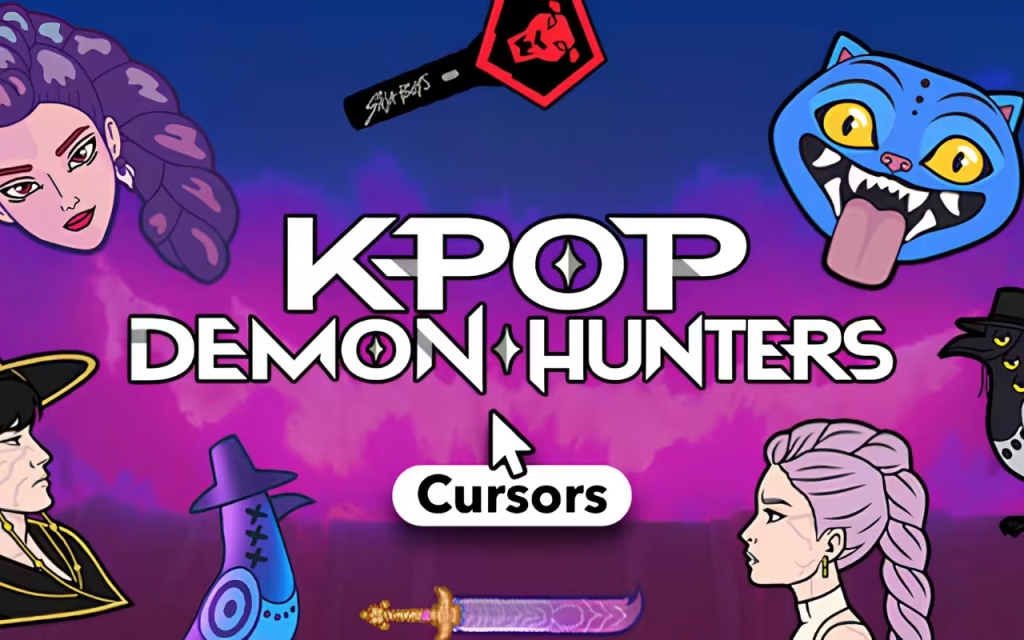
The Aesthetic: What is a K-Pop Demon Hunter?
To understand the appeal of the KPop Demon Hunters Cursor ★ Custom Cursor for Chrome™, we first need to look at the trend that inspired it.
The Rise of the "Dark Concept"
K-pop is no longer just about bubblegum pop and sunshine. In recent years, major groups have embraced "dark concepts," "girl crush" vibes, and elaborate fantasy storylines. Music videos often feature idols wielding swords, casting spells, or hunting monsters in cyberpunk or gothic settings.
This extension capitalizes on that specific niche. It asks the question: What if your favorite idol was also a protector of humanity? The designs reflect this by blending:
-
Tech-wear and Tactical Gear: Stylish outfits that look ready for a dance break and a dungeon raid.
-
Magical Weaponry: Lightsticks transformed into magical staves, or microphones that double as daggers.
-
Neon & Chrome: The color palette is often vibrant, utilizing the purples, pinks, and cyans often found in stage lighting.
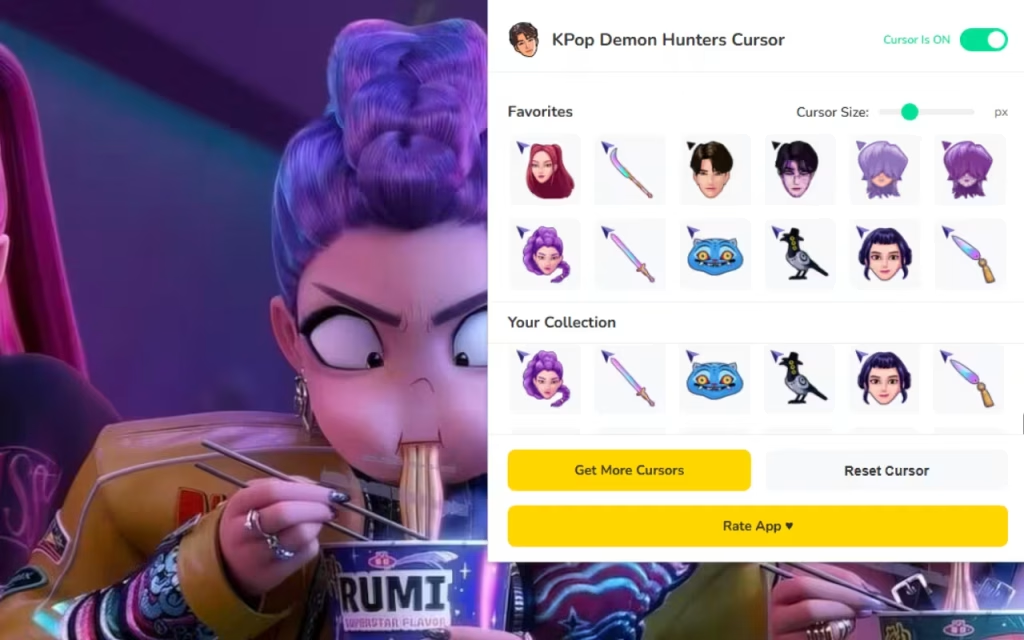
Why Is It So Popular?
The popularity of this specific cursor set stems from the overlap between fandom culture and gaming culture. Many K-pop fans are also avid gamers. This extension bridges the gap, allowing users to "equip" their cursor much like they would equip a character in an MMORPG. It adds a layer of roleplay to the mundane act of clicking a link.
Deep Dive: Features of the Extension
This isn't just a collection of static images; it is a fully functional tool designed for modern browsing. Let’s break down the features that make the KPop Demon Hunters Cursor ★ Custom Cursor for Chrome™ a top-tier choice for customization lovers.
⚔️ 30+ Unique Cursors
Variety is the spice of life, and this extension delivers. With over 30 options, you are not stuck with a single character.
-
The Characters: Choose from fierce idols with varying hair colors and combat styles.
-
The Arsenal: Prefer a minimalist approach? You can set your cursor to be just a weapon, such as a crystal bow or a holographic blade.
-
The Symbols: Abstract icons representing different "hunter guilds" or fandom symbols are also available for a subtler look.
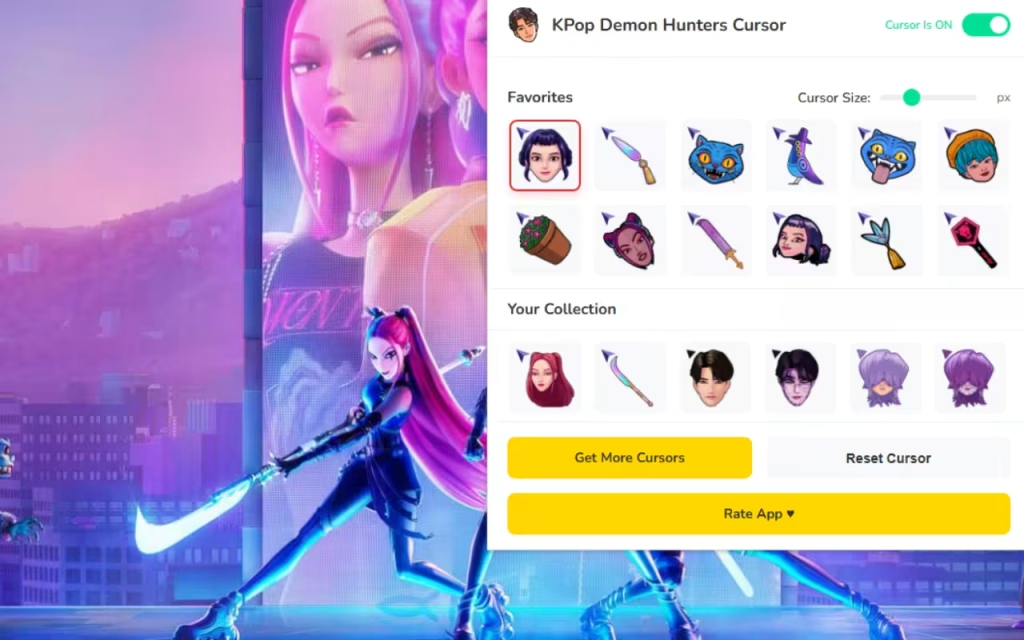
🚀 Lightweight & Fast Performance
One common concern with browser customizations is lag. Does it slow down your computer? The developers of this extension have optimized it for smooth, lag-free performance. It is designed to be lightweight, ensuring that your RAM is saved for your browser tabs, not your mouse pointer.
📏 Total Control: Size and Visibility
Accessibility and preference vary from user to user.
-
Adjustable Size: Through the control panel, you can resize your cursor from a tiny 16px (great for precision) up to a massive 128px (perfect for large 4K monitors or users with visual impairments).
-
Toggle Button: Need to switch back to professional mode for a presentation? The extension features an easy on/off toggle.
Image Placement Suggestion: A screenshot of the extension's user interface (UI). It should clearly show the grid of available cursors, the "Favorites" heart icon, and the size slider.
Standard vs. KPop Demon Hunter Style
Is it worth making the switch? Here is a breakdown of how the KPop Demon Hunters Cursor ★ Custom Cursor for Chrome™ compares to your default system setup.
| Feature | Standard OS Cursor | KPop Demon Hunters Cursor |
| Visuals | Basic White/Black Arrow. | Colorful, Animated, Thematic. |
| Personality | None (Corporate/Utilitarian). | Fierce, Stylish, Fantasy-inspired. |
| Variety | 1 Default Option. | 30+ Switchable Designs. |
| Sizing | Requires System Settings change. | Instant Slider (16px - 128px). |
| Accessibility | Standard visibility. | High-contrast options available. |
| Vibe | "Office Work." | "Concert meets Boss Fight." |
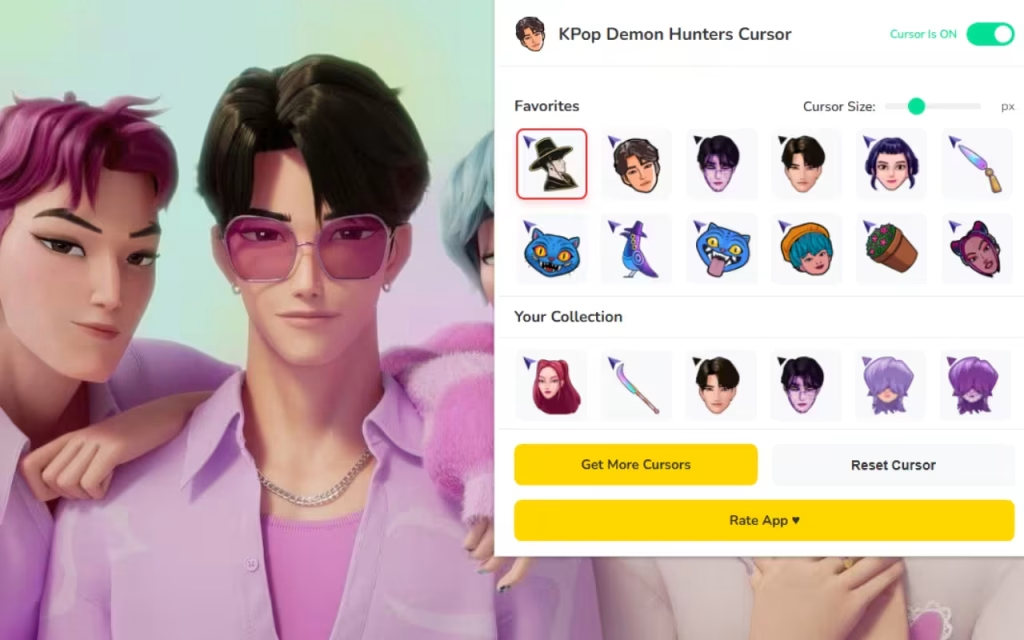
How to Curate Your Digital Style
Installing the KPop Demon Hunters Cursor ★ Custom Cursor for Chrome™ is just the beginning. To truly enjoy the experience, you should curate your browser to match. Here are some tips for collectors and customization enthusiasts.
1. The Favorites System: Managing Your "Bias"
In K-pop terms, a "bias" is your favorite member of a group. In this extension, you can have a "bias cursor."
-
Use the ⭐ Favorites System to heart the cursors you use most.
-
This moves them to the top of the list for One-Click Swapping.
-
Tip: Rotate your cursor based on your activity. Use a "Weapon" cursor for gaming news sites and an "Idol" cursor for social media.
2. DIY: Creating a Matching Theme
To make your cursor pop, ensure your browser theme matches the aesthetic.
-
Dark Mode is Best: The neon colors of the demon hunter cursors stand out best against dark backgrounds. Set your Chrome theme to "Just Black" or "Midnight."
-
Wallpaper: Look for desktop wallpapers that feature "Cyberpunk Cityscapes" or "Fantasy Forests" to create a seamless visual environment for your new cursor.
3. For the Aspiring Creator
Are you inspired by these fan-made designs? The description notes that this content is fan-made and unofficial. If you want to try creating your own similar decorations:
-
Pixel Art: Use a 32x32 grid in software like Aseprite or Photoshop.
-
Inspiration: Look at the stage outfits of your favorite groups and imagine how they would look as pixel sprites.
-
File Type: Export them as PNGs (for browser extensions) or
.curfiles (for Windows).
Ready to Slay?
The internet is a vast place, and how you navigate it should reflect your personality. The KPop Demon Hunters Cursor ★ Custom Cursor for Chrome™ offers a unique blend of two passionate worlds: the high-energy style of Korean pop music and the adventurous spirit of fantasy demon hunting.
With features like adjustable sizing, a favorites system, and over 30 unique designs, it is more than just a decoration; it is a quality-of-life upgrade for your browser. Why settle for a boring arrow when you can point, click, and scroll with the power of a fierce idol warrior?
Features Recap:
-
⚔️ 30+ Unique Designs
-
⭐ Favorites Management
-
📏 Size Customization (16px-128px)
-
⚡ Instant One-Click Swap