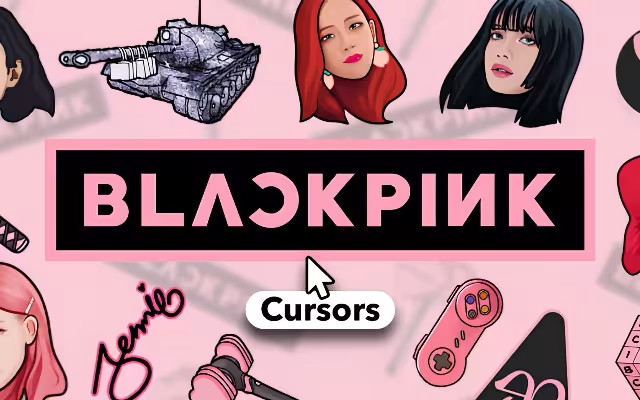
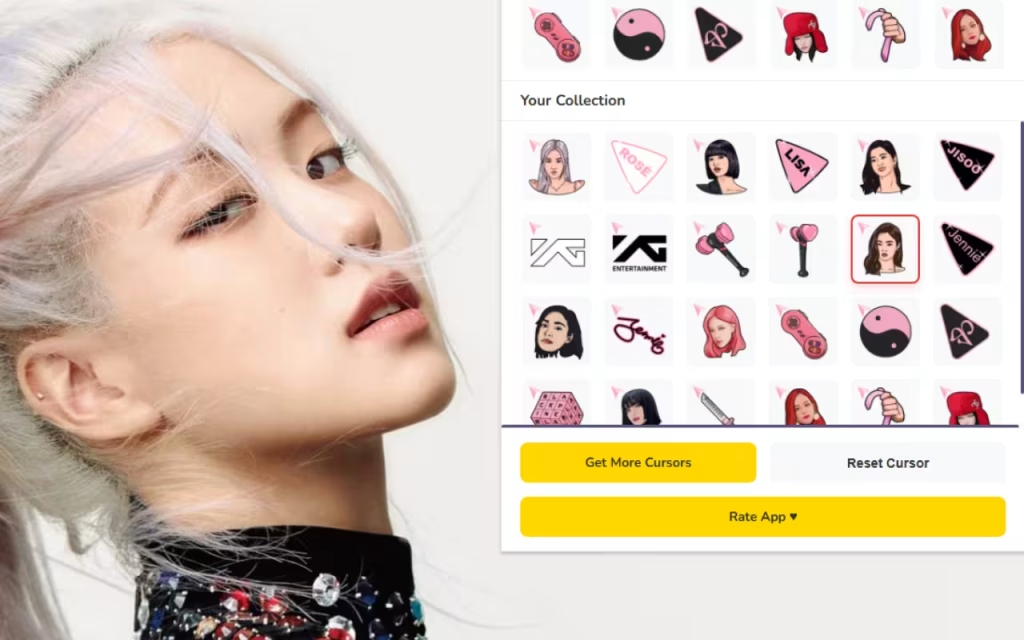
Now, you can bring that fierce energy to the place you likely spend most of your day: your web browser. Blackpink Cursor ★ Custom Cursor for Chrome™ is the ultimate digital accessory for fans who want to light up their screen with the charisma of Jennie, Jisoo, Lisa, and Rosé.
In this article, we will explore why Blackpink's aesthetic dominates the world, dive into the stunning features of this cursor pack, and provide expert tips on how to turn your boring Chrome tabs into a VIP backstage pass.
The Phenomenon of Blackpink: Why We Need the Glam
To understand why the Blackpink Cursor Custom Cursor for Chrome is essential, we must first look at the unparalleled impact of the group. Why does a simple mouse pointer featuring these four women feel so powerful?
Global Icons: From Debut to Domination
Since debuting in 2016 under YG Entertainment, Blackpink has shattered records. They are the most-subscribed music artist on YouTube and the first Asian act to headline Coachella. Their influence extends beyond music; they are global ambassadors for luxury fashion houses like Chanel, Dior, Celine, and Saint Laurent.
This cursor extension captures that "it girl" energy. It allows you to navigate the web not just as a user, but as part of a fandom that values excellence. When you use a cursor featuring Lisa’s signature bangs or Rosé’s blonde waves, you are connecting with a global community of millions who share your passion.
The Visual Identity: Why Their Aesthetic Rules
Blackpink is known for their "girl crush" concept—a blend of tough, edgy visuals (Black) and feminine, sweet charm (Pink). This duality translates perfectly to digital design.
-
The Black Side: Bold, sharp cursors that represent power and confidence. Perfect for when you are crushing a work presentation or gaming.
-
The Pink Side: Soft, pastel, and glittery elements that represent charm and fun. Ideal for shopping online or watching music videos.
Which side of the Blackpink concept do you relate to more—the fierce "Black" or the sweet "Pink"?
Unboxing the Extension: Features of Blackpink Cursor ★ Custom Cursor for Chrome™
This isn't just a generic image swap; it is a curated experience designed to make your browser feel premium. Let’s break down the features that make this extension a chart-topper.
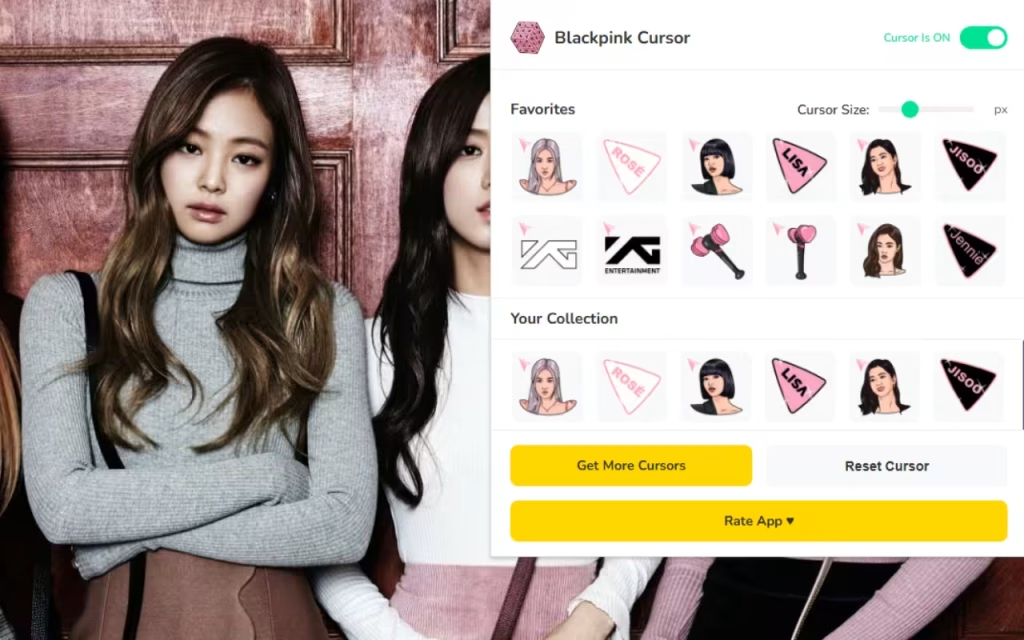
🎀 4+ Stunning Cursors: A Member for Every Mood
The core of the extension is its variety. You aren't stuck with one look; you can rotate through the members based on your mood or the "era" you are currently obsessed with.
-
Jennie (The Ace): Cursors often feature her "Human Chanel" vibes, radiating chic sophistication. Use this when you want to feel expensive.
-
Jisoo (The Visual): Capturing her elegant and classic beauty, often styled with soft accessories or her "Flower" solo era aesthetics.
-
Lisa (The Dancer): Expect bold, street-style cursors that reflect her cool, edgy persona. Perfect for high-energy browsing.
-
Rosé (The Voice): Cursors that highlight her rock-star indie vibe, often featuring guitars or soft pink tones.
🌈 Smooth Performance & Quick Swap
A glam cursor shouldn't slow you down. The Quick Swap Interface ensures that changing your cursor is as fast as a costume change during a concert. The extension is Lightweight & Fast, optimized to ensure no lag while you scroll through Twitter or Weverse.
Standard Cursor vs. The Blink Experience
Is it worth the switch? Let's look at the data.
| Feature | Standard Mouse Pointer | Blackpink Custom Cursor |
| Visual Appeal | Boring White Arrow | Glamorous K-Pop Icons |
| Vibe | Corporate / Sterile | Stylish / Powerful / Fun |
| Customization | System Default Only | Adjustable Sizes (Subtle to Bold) |
| Fandom Connection | None | High (Shows Your Bias) |
| Variety | 1 Option | Jennie, Jisoo, Lisa, Rosé |
How to Style Your Digital Space Like a Blink
Installing the Blackpink Cursor Custom Cursor for Chrome is just the opening act. To fully immerse yourself in the fandom, you need to coordinate your entire digital environment. Here is how to create a "similar decoration" style for your desktop.
Creating a "Kill This Love" Desktop Theme
Your cursor needs a stage. Chrome allows you to change the color theme of your browser window to match your bias.
-
The Black & Pink Theme: Set your browser frame to a matte black and your active tab color to a neon pink. This creates the classic high-contrast look of the group.
-
Custom Icons: Don't stop at the cursor. You can download "K-pop Icon Packs" to replace your desktop folders. Imagine your "School" folder looking like a lightstick (Bi-Ping-Bong) or your "Music" folder looking like the The Album cover art.
-
Wallpaper: Look for a 4K wallpaper from the "How You Like That" era. The hanbok outfits from that video are visually stunning and pair perfectly with the detailed cursors.
Tips for Collectors: Building a Digital Shrine
For many Blinks, collecting photocards is a serious hobby. Treat your digital assets the same way.
-
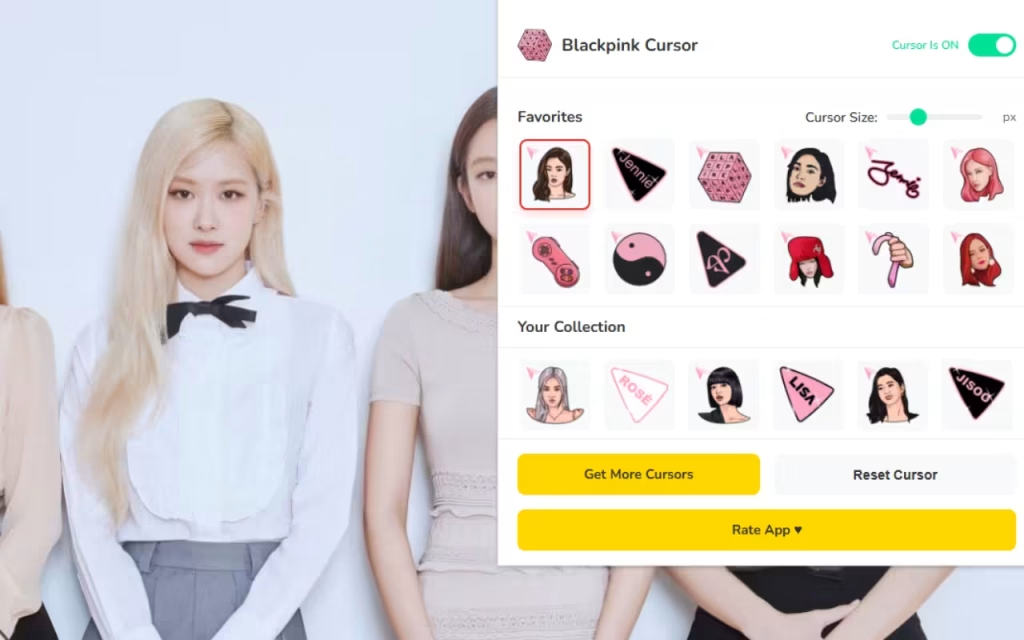
Rotate Weekly: Use the Favorites Tab to create a rotation schedule. Celebrate each member's birthday by using their cursor exclusively for that week.
-
Stream & Style: When a member releases a solo project (like Lisa's "Rockstar" or Jennie's "Mantra"), switch your cursor to match their specific solo aesthetic. It adds an extra layer of support while you stream their songs!
Why This Extension is a "Shutdown" Success
In a world of generic tools, the Blackpink Cursor Custom Cursor for Chrome offers a spark of joy. It brings the "Powerful Girl Group Aesthetics" to the most mundane tool on your computer: the mouse.
It is Fan-Made, which means the designs catch the small details that only true Blinks appreciate—like the specific shade of pink used in their logo or the signature accessories they wear. It creates an immersive experience that makes you feel like you are part of the movement.
Key Highlights Summary
-
Variety: Represents all four members with unique charm.
-
Usability: Simple interface with instant switching.
-
Vibe: Delivers a glam and powerful vibe with every move.
"Don't know what to do without you." That is how you will feel about this extension once you try it. The Blackpink Cursor Custom Cursor for Chrome is more than just a novelty; it is a daily reminder to be bold, to be stylish, and to be a Blink.
Whether you are streaming their latest hit or just shopping online, let Jennie, Jisoo, Lisa, and Rosé guide your way. It is lightweight, free, and absolutely packed with K-pop flair.
Are you ready to hit you with that Ddu-Du Ddu-Du? Download the extension today and let the glam begin!
Tell us in the comments below: Who is your ultimate bias, and which iconic music video outfit would you love to see turned into a cursor next?







