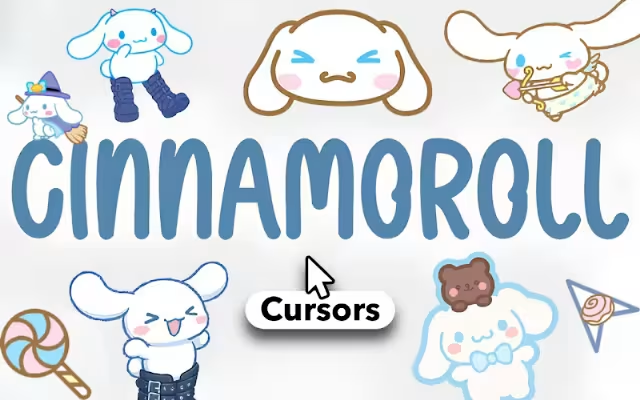
In a digital world often dominated by sleek, minimalist, or dark-mode aesthetics, sometimes you just need a cloud of pure happiness to brighten your day. For Sanrio fans, there is no character who embodies comfort and joy quite like Cinnamoroll, the chubby white puppy born from the distant sky.
Cinnamoroll Cursor ★ Custom Cursor for Chrome™ invites you to transform your browsing experience from mundane to magical. By replacing your standard mouse pointer with over 45+ cute cursors, you can navigate the web accompanied by the Cafe Cinnamon mascot and his adorable entourage.
In this article, we will explore the heartwarming origins of this beloved character, dive into the features of this extensive cursor collection, and provide tips on how to curate the ultimate "kawaii" digital workspace.
The Puppy from the Clouds: Why We Love Cinnamoroll
To understand why a Cinnamoroll Cursor is an essential upgrade for your browser, we must look at the character's soaring popularity. Since his debut in 2001, Cinnamoroll has consistently ranked as one of Sanrio’s top characters, often beating out Hello Kitty herself in the annual Sanrio Character Ranking.
Origin Story: A Sweet Arrival
Designed by Miyuki Okumura, Cinnamoroll was discovered by the owner of "Cafe Cinnamon" while he was floating through the sky like a fluffy cloud. He was named "Cinnamon" (and later Cinnamoroll) because his curly tail resembles the spiral of a cinnamon roll.
This backstory is perfect for a browser extension. Just as Cinnamoroll flies through the sky using his long ears, your cursor "flies" across the digital cloud of the internet. Using this extension feels like adopting your own digital pet who follows you from tab to tab.
The Power of "Iyashi" (Healing)
In Japanese culture, characters like Cinnamoroll are popular because they offer iyashi—a sense of healing and comfort. His soft, round design and shy personality trigger a biological response of affection. By installing this extension, you are adding a micro-dose of stress relief to your daily tasks, whether you're working, studying, or shopping.
Meet the Gang: A Cursor for Every Mood
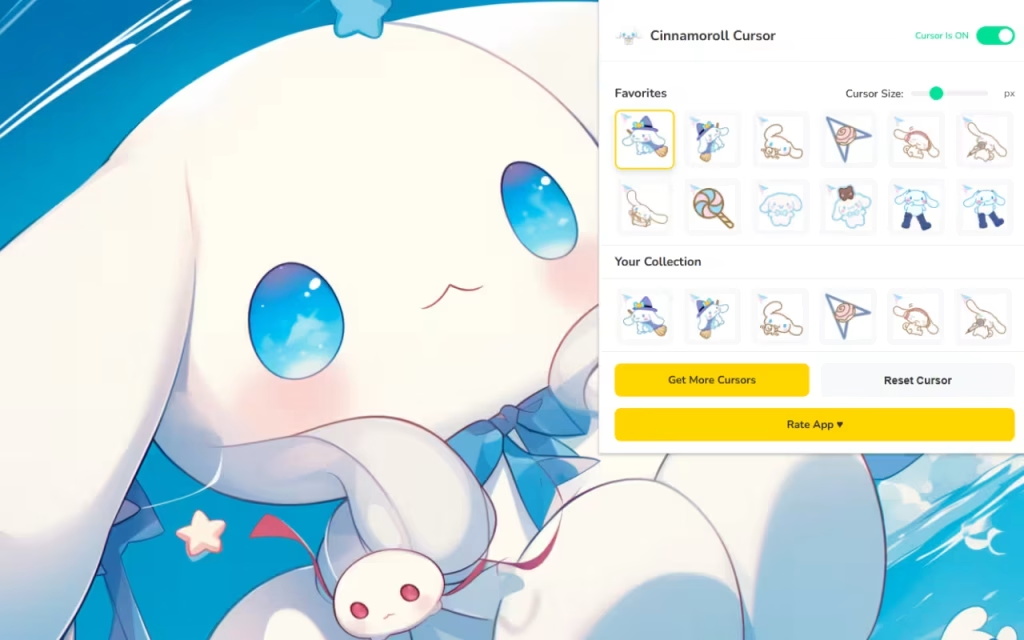
The true strength of the Cinnamoroll Cursor ★ Custom Cursor for Chrome™ extension lies in its variety. It doesn’t just feature the main star; it includes his entire circle of friends (the "Cinnamoangels" and the Cafe Cinnamon regulars).
45+ Unique Designs
-
Cinnamoroll Classics: Choose from Cinnamoroll in his standard look, wearing his cafe apron, or sleeping on a cloud.
-
Milk: The baby of the group who loves his pacifier. His cursor is perfect for a "baby core" aesthetic.
-
Mocha: The fashionable leader of the group. Her cursor often features flowers or bows, adding a touch of elegance.
-
Chiffon: The energetic tomboy. Her cursors are dynamic and fun, reflecting her sporty nature.
-
Cappuccino: The laid-back foodie. Perfect for when you're browsing for dinner recipes!
-
Espresso & Coco/Nuts: For those who want a more distinct or dashing look for their pointer.
Features Designed for Maximum Cuteness
This extension is built to be as fluffy and light as the character himself. It ensures that your customization doesn't weigh down your browser's performance.
🎀 Customization at Your Fingertips
-
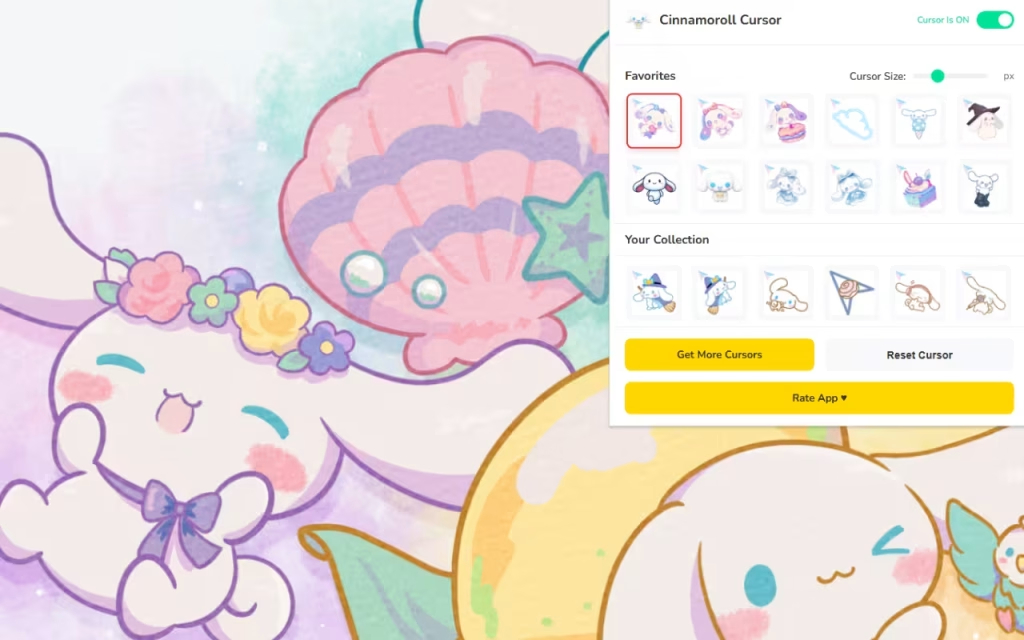
Adjustable Size (16px - 128px): Cinnamoroll is a "chubby" puppy, and sometimes you want to see that in high definition. You can scale the cursor up to 128px to see every detail of his blue eyes and pink cheeks.
-
Pro Tip: For general browsing, a size of 48px strikes the perfect balance between cuteness and usability.
-
-
Favorites System: With 45+ options, you might have trouble choosing just one. The "Favorites" star allows you to save a rotation—perhaps Milk for Mondays and Mocha for the weekend.
⚡ Seamless Integration
-
One-Click Swap: Changing your cursor is instant. No need to download files or mess with computer settings.
-
Smart Toggle: Need to switch back to a standard arrow for a serious presentation? The Toggle Button lets you disable the cuteness in a single click without uninstalling the extension.
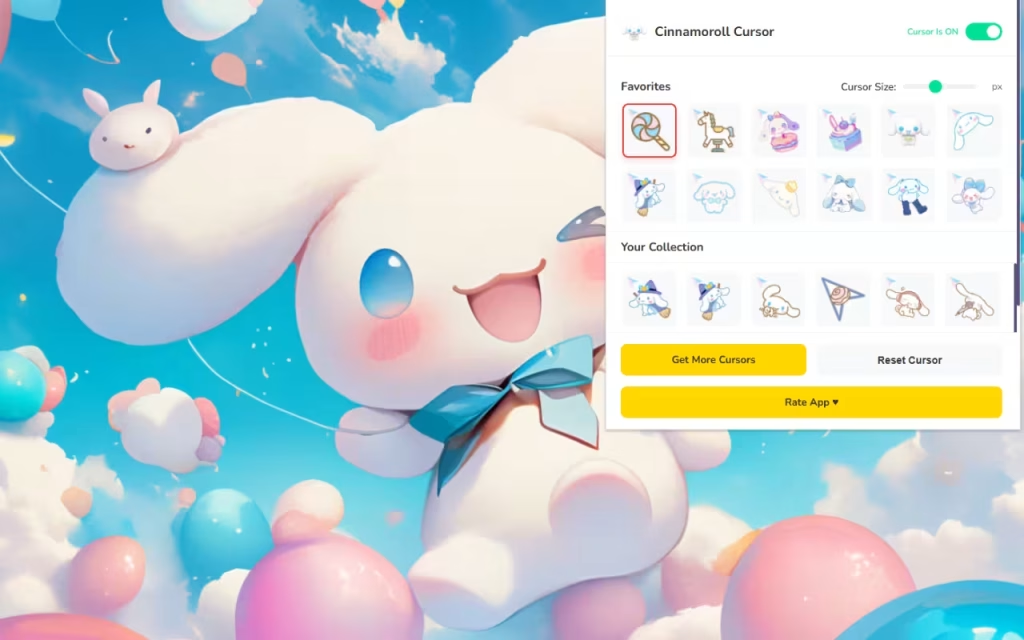
Standard Arrow vs. Cinnamoroll Style
Is it worth the switch? Let's compare the default experience with the Cinnamoroll upgrade.
| Feature | Standard Mouse Pointer | Cinnamoroll Custom Cursor |
| Visual Appeal | Boring White Arrow | Adorable Sanrio Art |
| Variety | None (1 Option) | 45+ Styles (Friends, Outfits) |
| Vibe | Corporate / Sterile | Cozy / Wholesome / Healing |
| Personalization | System Default Only | Fully Resizable & Swappable |
| Emotional Impact | Neutral | Sparks Joy & Comfort |
Tips for Collectors: Creating a Sanrio Digital Shrine
If you love Cinnamoroll, you likely enjoy collecting. But collecting doesn't have to be physical. Here is how to create a cohesive digital environment:
-
Theme Coordination: Match your Cinnamoroll Cursor with a browser theme. Look for Chrome themes that use "Sky Blue" and "White" color palettes to match his eyes and fur.
-
Icon Packs: Download a "Pastel Blue" icon pack for your desktop folders. This extends the aesthetic from your browser to your entire computer.
-
Digital Scrapbooking: Use the Favorites System to rotate cursors based on the season. Cinnamoroll often has seasonal outfits (like scarves for winter or swimsuits for summer). Keep an eye out for updates to the extension that might add these seasonal looks!
The Cinnamoroll Cursor ★ Custom Cursor for Chrome™ is more than just a novelty; it is a way to reclaim your digital space. In a busy online world, having a friendly face to guide you through the web makes a difference.
Whether you are a long-time Sanrio collector or just someone who appreciates the "fluffy" things in life, this extension offers a simple, free way to add a sprinkle of sweetness to your day.
Are you ready to fly with Cinnamoroll? Download the extension and let the cloud puppy guide your clicks.
Tell us in the comments below: Which of Cinnamoroll's friends is your favorite—the shy Milk or the energetic Chiffon?







