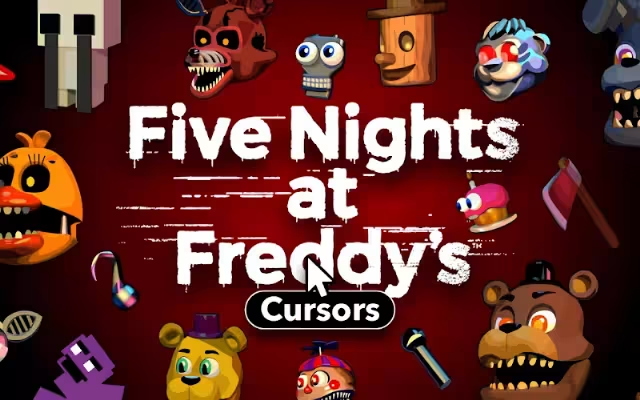
The night shift has officially begun. But this time, you aren't watching security cameras in a dark office; you are browsing the web. For fans of the survival horror juggernaut Five Nights at Freddy's (FNaF), the thrill of the scare is a lifestyle. From the lore-packed novels to the blockbuster movie, the franchise has captivated millions with its unique blend of tension and terror.
Now, you can bring that atmospheric dread directly to your daily digital routine. Five Nights at Freddy's Cursor ★ Custom Cursor for Chrome™ is the ultimate browser extension for fans who want to replace their boring, standard mouse pointer with the iconic animatronics that haunt our dreams. With over 30+ unique cursors featuring Freddy Fazbear, Bonnie, Chica, Foxy, and more, this tool transforms every click into a jump-scare-worthy event (minus the heart attack).
In this article, we will explore the enduring legacy of Scott Cawthon’s masterpiece, dive deep into the features of this spooky extension, and provide expert tips on how to curate the ultimate horror-themed digital workspace.
The Phenomenon of Five Nights at Freddy's: Why We Love the Scares
To understand why a FNaF custom cursor is a must-have, we first need to look at the cultural impact of the series. How did a simple indie game about haunted pizza parlor robots become a global obsession?
From Indie Gem to Global Franchise
Released in 2014, the original Five Nights at Freddy's stripped horror down to its basics: limited resources, a stationary protagonist, and a creeping sense of doom. The game’s simple mechanics masked a deep, convoluted lore that encouraged players to dig for clues. This "digital archaeology" turned the fanbase into a community of investigators, fueling a decade of sequels, spin-offs, and fan theories.
Using a Five Nights at Freddy's Cursor ★ Custom Cursor for Chrome™ is a nod to this history. It signals that you are part of the "Night Guard" who survived the bite of '87 (or at least read the theories about it).
Why the Animatronics Resonate
The animatronics are the stars of the show. They occupy the "Uncanny Valley"—close enough to human to be recognizable, but distorted enough to be terrifying.
-
Freddy Fazbear: The face of the franchise, representing leadership and looming threats.
-
Bonnie the Bunny: Often the most active antagonist, representing relentless pursuit.
-
Chica the Chicken: With her "Let's Eat!" bib, she twists the concept of food and comfort into something menacing.
-
Foxy the Pirate: The wildcard who punishes you for not paying attention.
These distinct personalities translate perfectly into cursor designs, allowing you to choose the "jumpscare" that best fits your mood.
Transform Your Browser with Five Nights at Freddy's Cursor ★ Custom Cursor for Chrome™
This extension isn't just a novelty; it is a feature-rich tool designed to enhance your user experience while paying tribute to the games. Let's unpack what makes it special.
Unpacking the Features
The Five Nights at Freddy's Cursor ★ Custom Cursor for Chrome™ comes packed with functionality that ensures your browser remains fast and usable, even while looking terrifying.
-
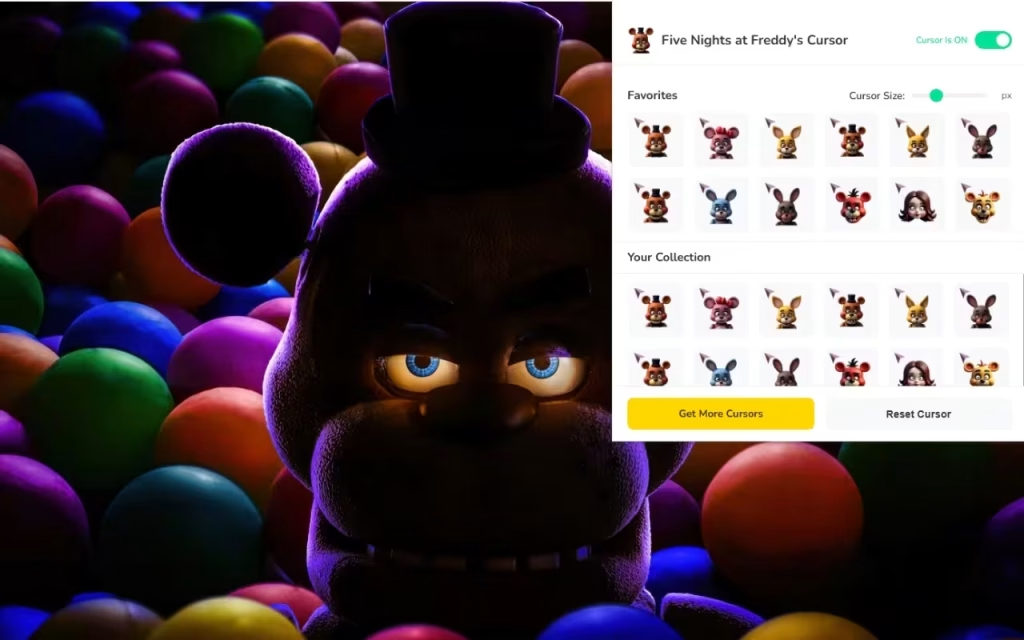
👾 30+ Unique Cursors: The library is extensive. You aren't stuck with just one Freddy face; you can cycle through the entire cast, including fan favorites like The Puppet or Golden Freddy.
-
⭐ Favorites System: Have a favorite animatronic? The favorites system allows you to save your top picks for quick access, letting you switch from Foxy to Chica depending on your browsing activity.
-
📏 Adjustable Size: Whether you want a subtle 16px nod to the game or a massive 128px animatronic head staring back at you, the size slider gives you full control.
-
⚡ One-Click Switch: No complicated menus. Apply your chosen design instantly.
-
🚀 Lightweight & Fast: Optimized code ensures that the horrors remain on the screen, not in your PC's performance.
Meet the Crew: Freddy, Bonnie, Chica, and Foxy Cursors
The designs in this collection are crafted to be both "scary and fun."
-
The Freddy Cursor: Perfect for leadership. Use it when you're managing tasks or leading a project. His top hat and microphone are iconic symbols of authority.
-
The Foxy Cursor: Ideal for speed. Foxy is known for running down the hallway, making him the perfect companion for fast-paced browsing or gaming.
-
The Pizza Cursor: It’s not all scares! Cursors featuring the famous Fazbear pizza slice add a touch of humor and hunger to your screen.
How to Customize Your Digital Experience
Installing the extension is just the first night. To truly survive until 6 AM, you need to customize your environment.
Installation and Setup
Getting started is easier than checking the vents.
-
Add to Chrome: Download the extension from the store.
-
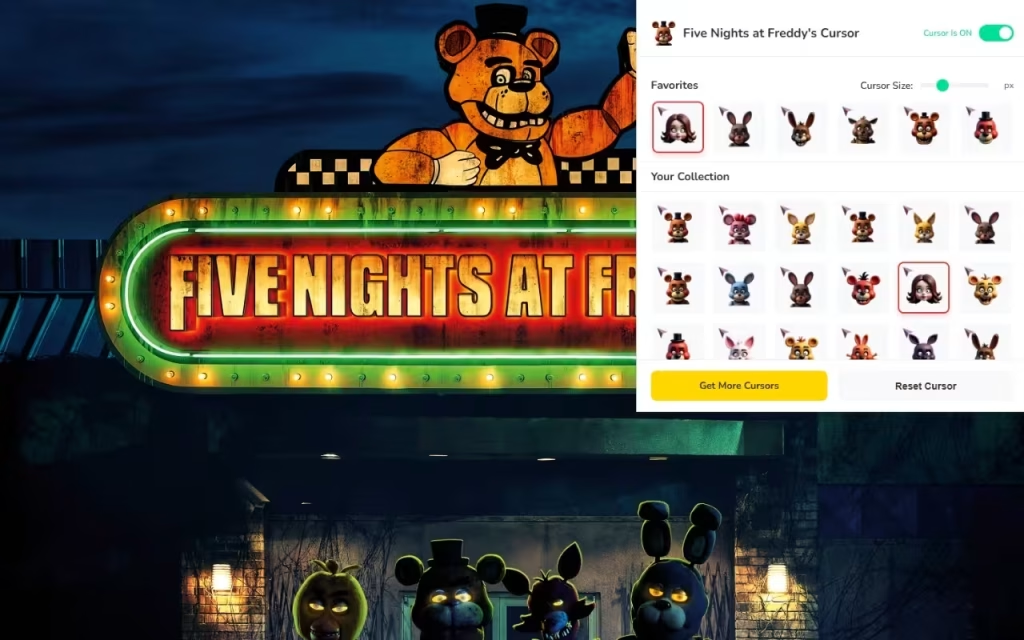
Open the Panel: Click the extension icon in your toolbar to reveal the list of animatronics.
-
Select Your Guard: Click on any character to apply it immediately.
-
Adjust: Use the slider to find the perfect size that balances visibility with precision.
DIY Digital Decor: Creating Your Own Vibe
If the 30+ included cursors aren't enough, or if you want to match your entire desktop to the theme, consider these DIY tips:
-
Theme Matching: Chrome allows you to change the browser's color theme. Pair a dark purple or black theme with your FNaF cursor to mimic the dark, claustrophobic atmosphere of the security office.
-
Soundscapes: While the cursor changes the visual, adding a background tab playing "ambient horror sounds" or the hum of a fan can complete the immersion.
Tips for the Ultimate FNaF Fan Collection
For many, FNaF is about collecting—plushies, action figures, and lore snippets. Your digital collection should be no different.
Beyond the Screen
-
Rotate Your Roster: Just like the animatronics become more active as the week progresses, try changing your cursor daily. Start Monday with a cute Toy Freddy and end Friday with a terrifying Nightmare Foxy.
-
Match the Media: When a new book or DLC drops, switch your cursor to the character most relevant to that story. It keeps your fandom fresh and engaged.
Standard vs. FNaF Cursor: A Comparison
Is it worth switching from the default arrow? Let's look at the data.
| Feature | Standard Mouse Pointer | FNaF Custom Cursor |
| Visual Appeal | Boring White Arrow | 30+ Iconic Character Designs |
| Atmosphere | Corporate / Sterile | Spooky / Fun / Atmospheric |
| Customization | System Default Only | Fully Resizable (16px - 128px) |
| Personalization | None | High (Favorites System) |
| Fan Connection | Zero | Maximum (Created by Fans) |
The Five Nights at Freddy's Cursor ★ Custom Cursor for Chrome™ is more than just a browser add-on; it is a portal to the twisted, wonderful world of Scott Cawthon. It allows you to carry a piece of the horror franchise with you, whether you are studying for a test or watching YouTube theories.
With its robust feature set, including adjustable sizing and a favorites system, it offers a seamless blend of "creepy charm" and modern utility. Why settle for a boring browsing experience when you can have the entire Fazbear band at your fingertips?
Are you ready to sign up for the night shift? Download the extension and let the scares begin.
Tell us in the comments below: Which animatronic scares you the most—and which one will you be using as your cursor first?







