For over 25 years, the quest for the One Piece has captivated millions. From the humble beginnings in East Blue to the futuristic landscapes of Egghead Island, Monkey D. Luffy and his Straw Hat crew have taught us that freedom is the ultimate treasure. But why should the adventure stop when you close your manga or pause the anime?
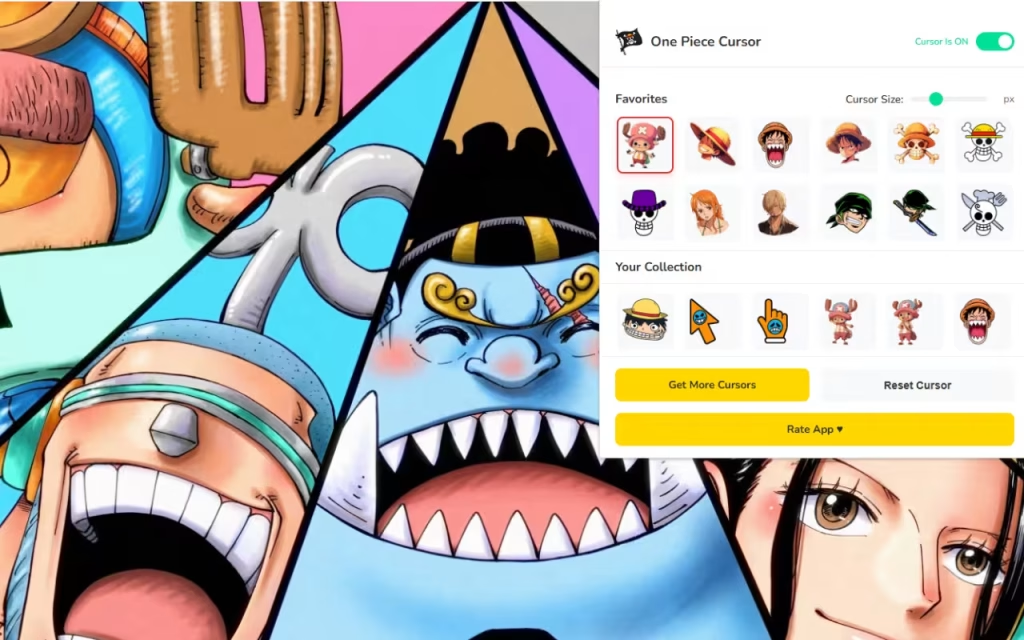
It is time to turn your daily browsing into a voyage worthy of the Pirate King. With the One Piece Cursor ★ Custom Cursor for Chrome™, you can hoist the jolly roger on your digital workspace. This extension replaces your standard, boring mouse pointer with over 120+ custom cursors featuring the most iconic faces, weapons, and symbols from the series.
In this article, we will explore the enduring legacy of Eiichiro Oda's masterpiece, dive deep into the features of this massive cursor collection, and provide expert tips on how to build a digital setup that would make Franky proud.
The Age of Pirates: Why We Love One Piece
To understand why a One Piece custom cursor is an essential upgrade for any fan, we must look at the cultural juggernaut behind it. One Piece isn't just a story; it's a lifestyle. With the recent success of the Netflix live-action adaptation and the manga entering its final saga, the hype has never been higher.
From Romance Dawn to Global Domination
Since 1997, One Piece has dominated the charts, holding the Guinness World Record for the most copies published for the same comic book series by a single author. The series resonates because of its world-building and the deep bonds of "nakama" (crewmates).
When you install this extension, you aren't just changing a cursor; you are declaring your allegiance. Seeing Luffy’s straw hat or Zoro’s swords as you click through tabs serves as a micro-dose of adventure. It reminds you that even a boring spreadsheet or a long homework assignment is just another island to conquer on your journey.
A Crew for Every Fan
The beauty of One Piece is its massive cast. While Luffy is the star, fans have deep connections with side characters. This extension captures that variety perfectly.
-
The Monster Trio: Cursors for Luffy, Zoro, and Sanji are perfect for those who want power and style.
-
The Cute Mascots: Chopper and the Thousand Sunny add a "kawaii" touch to your screen.
-
The Villains: Want a darker vibe? Switch to a cursor featuring Doflamingo or Kaido to rule your browser with an iron fist.
Unpacking the Treasure: Extension Features
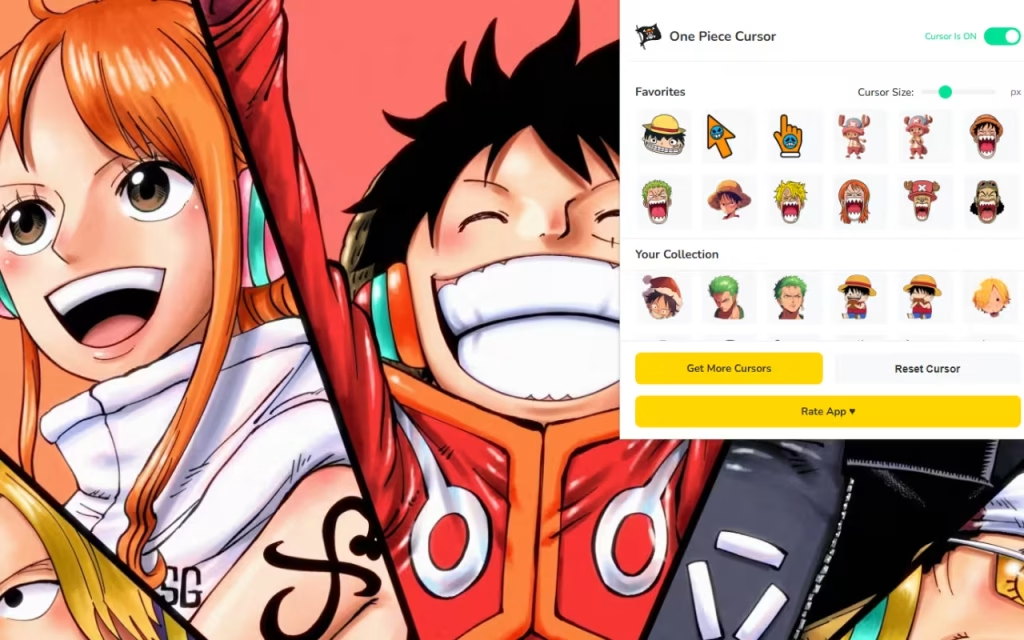
This isn't just a simple cosmetic swap; it is a fully functional tool designed for the modern pirate. Let’s break down the features that make this extension a "Super" addition to your Chrome browser.
🏴☠️ 120+ Unique Cursors
The sheer volume of options sets this extension apart. The library includes:
-
Iconic Items: The Gum-Gum Fruit, Nami's Log Pose, and the Going Merry.
-
Action Poses: Zoro using Three-Sword Style or Luffy engaging Gear 5.
-
Arc-Specific Looks: From the pre-timeskip outfits to the samurai armor of Wano.
⚡ Performance and Customization
A good pirate ship needs to be fast, and so does your browser.
-
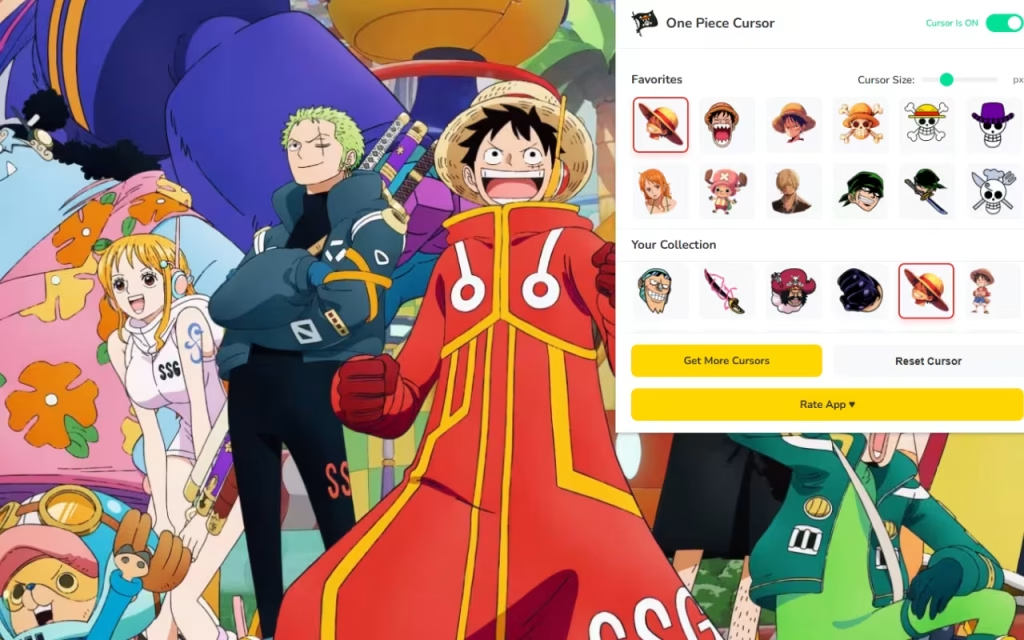
One-Click Swap: Changing your cursor is as fast as Sanji's kick. Instantly switch from Nami (for shopping) to Robin (for research) without reloading the page.
-
🚀 Lightweight & Fast: The extension is optimized to ensure no lag. It runs smoothly in the background, ensuring your browsing speed stays at "Gear 2" levels.
-
📏 Adjustable Size: Whether you have a massive 4K monitor or a compact laptop, the size slider (16px to 128px) ensures your cursor is always visible.
Creating Your Own Thousand Sunny: Digital Decor Tips
Installing the One Piece Cursor ★ Custom Cursor for Chrome™ is just the first step. To truly feel like you are sailing the Grand Line, you need to coordinate your entire digital environment.
Matching Browser Themes
Your cursor needs a sea to sail on. Chrome allows you to change the color theme of your browser window to match your captain.
-
Luffy Theme: Set your browser to Red and Yellow.
-
Zoro Theme: A deep Moss Green and Black works best.
-
Sanji Theme: Royal Blue and Yellow (or Black for his suit).
-
Gear 5 Theme: A pure White and Purple aesthetic creates a "God of Liberation" vibe.
Custom Desktop Icons
Don't stop at the browser. You can transform your Windows or Mac desktop folders to match.
-
Search for Resources: Sites like DeviantArt have incredible fan-made icon packs. Search for terms like "One Piece Wano Folder Icons" or "Devil Fruit Desktop Icons."
-
DIY: Use free tools to convert transparent PNGs of Berries (the currency) or Wanted Posters into
.icofiles. Imagine clicking on a Wanted Poster of Chopper to open your "Homework" folder!
Tips for Collectors
For the dedicated fan, "collecting" digital assets is just as fun as collecting figures.
-
Arc Rotation: Rotate your cursor and wallpaper based on the arc you are currently re-watching. If you are watching Marineford, use the Ace or Whitebeard cursors.
-
Match Your Merch: Do you have a Funko Pop of Law on your desk? Use the Trafalgar Law cursor to create a seamless link between your physical and digital space.
The Boring Arrow vs. The Pirate King
Is it worth the switch? Let's look at the "Bounty" value of using a custom cursor.
| Feature | Standard Mouse Pointer | One Piece Custom Cursor |
| Visual Appeal | Generic White Arrow | 120+ Iconic Anime Designs |
| Variety | None | Straw Hats, Yonko, Marines |
| Vibe | Corporate / Boring | Adventurous / Epic |
| Personalization | System Default Only | Fully Resizable & Swappable |
| Fan Connection | Zero | Maximum (The Will of D.) |
The One Piece Cursor ★ Custom Cursor for Chrome™ is more than just a novelty; it is a celebration of the series that has taught us to dream big. It allows you to carry the spirit of the Straw Hat Pirates into every corner of the internet.
Whether you are looking for the serious determination of Zoro or the goofy charm of Luffy, this extension has a cursor for every mood. It is lightweight, easy to use, and absolutely overflowing with fan spirit.
Are you ready to set sail? Download the extension today, grab your compass, and let the adventure begin!
Tell us in the comments below: If you could eat any Devil Fruit to help you browse the internet faster, which one would it be?







