"I love muddy puddles!" If this phrase instantly triggers a cheerful snort or a fond memory of your childhood (or your children's), you are not alone. Since splashing onto screens in 2004, a certain cheeky little piggy has conquered the globe, turning everyday activities into adventures. But why should the fun stop when the TV turns off?
In the digital age, we spend hours navigating the web for work, school, and entertainment. It is time to trade the drab, standard mouse arrow for something that sparks pure, unadulterated joy. Enter the Peppa Pig Cursor ★ Custom Cursor for Chrome™. This delightful browser extension brings the colorful world of Peppa, George, and their friends directly to your fingertips.
Whether you are a parent looking to make a family computer more kid-friendly, or a nostalgic fan who appreciates the wholesome charm of the show, this extension offers over 40+ custom cursors to brighten your digital day. In this article, we will explore the global legacy of Peppa Pig, dive deep into the features of this charming extension, and provide expert tips on how to turn your entire desktop into a playful digital playground.
Origins and Impact
To understand why a Peppa Pig custom cursor is such a hit, we must first look at the powerhouse franchise behind it. How did a simply animated show about a family of pigs become a multi-billion dollar cultural icon?
Origins of a Global Star
Peppa Pig was created by Neville Astley and Mark Baker, launching on May 31, 2004, in the United Kingdom. Produced by Astley Baker Davies, the show was designed with a clear philosophy: to see the world through a child's eyes. Unlike many cartoons that focused on high-stakes action or fantasy, Peppa Pig found magic in the mundane—going to the dentist, visiting grandparents, or simply jumping in muddy puddles.
This relatable storytelling is why the show is now broadcast in over 180 countries. It resonates because it mirrors real family life, complete with gentle humor (often at Daddy Pig's expense) and life lessons about friendship and kindness.
Why Is It So Popular?
The popularity of the Peppa Pig Cursor extension is a testament to the show's cross-generational appeal.
-
For Kids: It’s a digital toy. Seeing their favorite characters move across the screen makes using a computer intuitive and fun.
-
For Adults: It’s a comforting aesthetic. The bold lines and pastel colors of the show's art style translate perfectly into "flat design," a popular trend in user interface graphics. It offers a sense of "childlike joy" that counters the stress of modern digital workspaces.
Unpacking the Cuteness: Extension Features Review
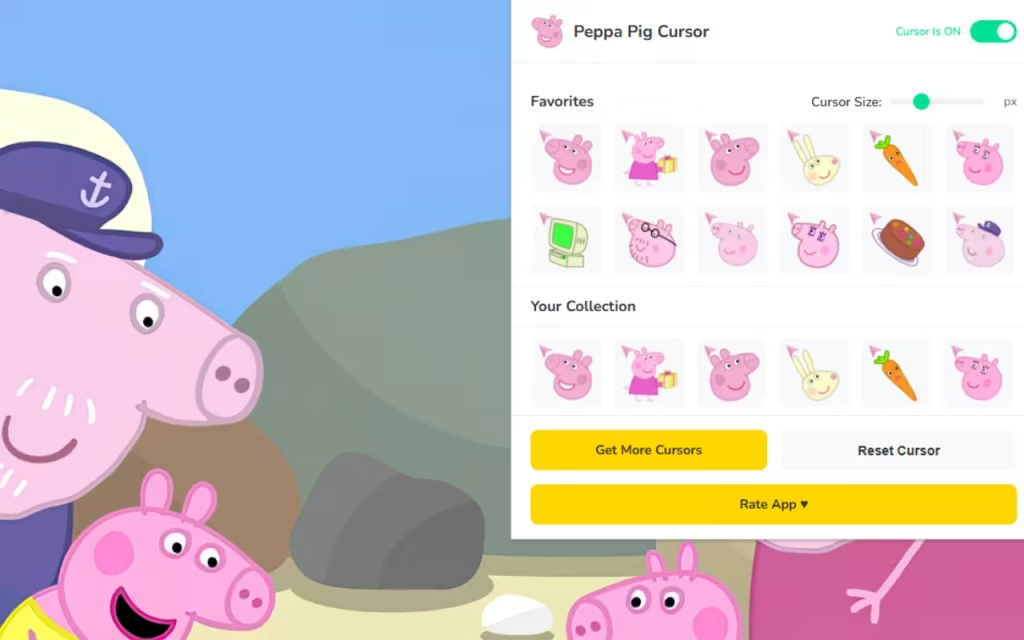
The Peppa Pig Cursor ★ Custom Cursor for Chrome™ isn't just a static image swap; it is a feature-rich tool designed to enhance your user experience without compromising performance. Let’s break down what makes this extension a must-have.
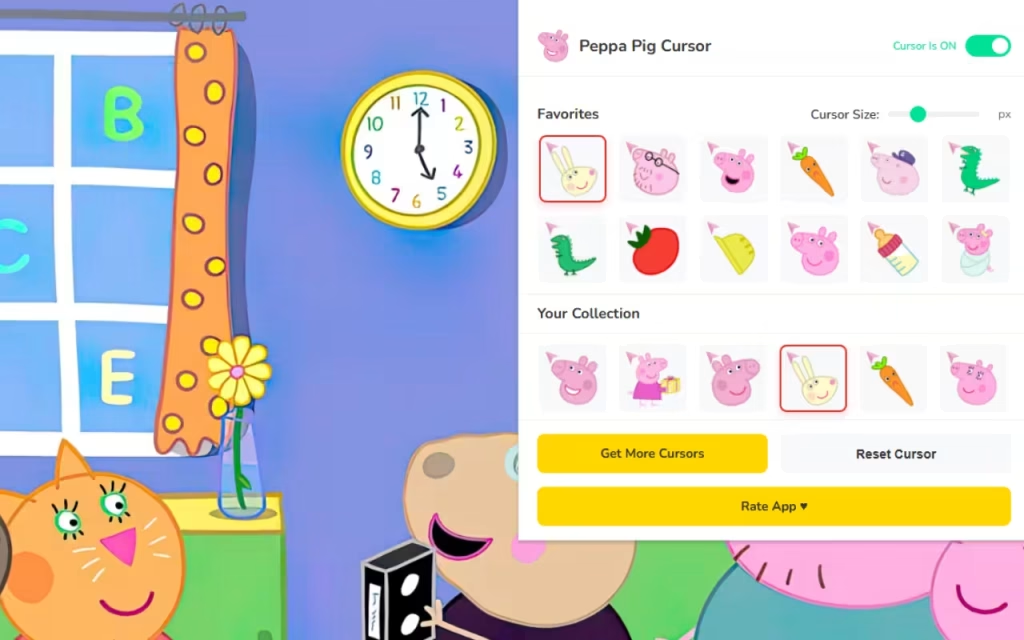
🐷 40+ Unique Cursors
The standout feature is the variety. You aren't limited to just Peppa. The library includes:
-
The Core Family: Peppa in her signature red dress, George with his beloved "Mr. Dinosaur," Mummy Pig, and Daddy Pig.
-
The Extended Friends: Suzy Sheep, Rebecca Rabbit, Pedro Pony, and even Madame Gazelle.
-
Playful Moments: Cursors capturing iconic scenes, such as jumping in muddy puddles or riding bicycles.
⚡ Technical Excellence
A cute cursor is useless if it slows down your computer. This extension is engineered for 🚀 Lightweight & Smooth performance.
-
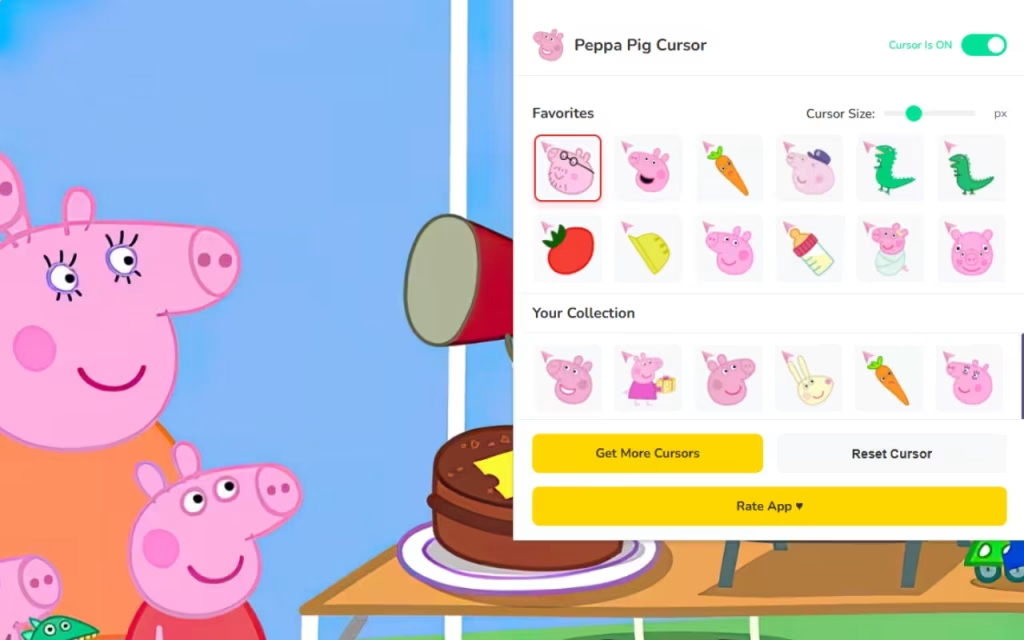
Adjustable Size: Whether you have a 4K monitor or a small laptop screen, the 📏 Adjustable Size feature (16px to 128px) allows you to scale the characters so they are visible but not obtrusive.
-
One-Click Swap: Changing your vibe is instantaneous. Switch from a "Study Mode" Madame Gazelle cursor to a "Fun Mode" George cursor with a single click.
-
Favorites System: With 40+ options, you might lose track of your favorites. The ⭐ Favorites System lets you curate a list of your top picks for easy access.
Standard Arrow vs. Peppa Style
Is it worth the switch? Let's compare the standard browsing experience with the Peppa upgrade.
| Feature | Standard Mouse Pointer | Peppa Pig Custom Cursor |
| Visual Appeal | Boring White/Black Arrow | Colorful, Hand-Drawn Art |
| Vibe | Corporate, Sterile, Cold | Warm, Cheerful, Nostalgic |
| Customization | System Default Only | Fully Resizable & Swappable |
| Variety | None | 40+ Characters & Items |
| Family Friendly | Neutral | High Engagement for Kids |
How to Create a Peppa Pig Digital Theme
Installing the Peppa Pig Cursor is just the first step. To truly immerse yourself in Peppa's world, you can coordinate your entire digital environment. Here is a professional guide to creating a cohesive "Peppa Pig Aesthetic" for your computer.
1. Matching Browser Themes
Your cursor needs a home. Chrome allows you to change the color theme of your browser frame.
-
Official Themes: Search the Chrome Web Store for themes like "Peppa Pig House With Family," which sets your new tab background to the iconic house on the hill.
-
Color Coordination: If you prefer a cleaner look, create a custom color theme using Peppa's palette. Use Pastel Pink (#FFB7C5) for the frame and Sky Blue (#87CEEB) for the active tab to mimic the show's opening sequence.
2. DIY Desktop Folder Icons
Take the customization to your desktop. You can replace boring yellow folder icons with characters or items from the show.
-
Where to Find Icons: Websites like DeviantArt often host fan-made icon packs (search for "Peppa Pig Folder Icon").
-
How to DIY:
-
Find a transparent PNG image of an item, like Golden Boots or Mr. Dinosaur.
-
Use a free online converter (like ConvertICO) to turn the PNG into an
.icofile (for Windows) or.icns(for Mac). -
Right-click a folder -> Properties -> Customize -> Change Icon.
-
3. Aesthetic Wallpapers
A high-quality wallpaper ties everything together.
-
Sources: Visit sites like 4KWallpapers or Zedge and search for "Peppa Pig Minimalist." Minimalist wallpapers work best because they don't clutter the screen, allowing your new custom cursor to stand out.
-
Vibe Check: Look for "Cottagecore" or "Pastel" landscapes that resemble the show’s rolling hills for a subtle, grown-up take on the theme.
Tips for Collectors: Digital vs. Physical
For the "Tip for Collectors" layer, it is important to distinguish between physical merch and digital assets.
-
Digital Scarcity: Unlike physical toys that can sell out, digital cursors are always available. However, "collecting" in the digital space means curating. Use the Favorites tab to create "Season Collections"—group winter-themed cursors (Peppa in a scarf) separate from summer ones.
-
Cross-Collecting: Many fans match their digital setup to their physical desk. If you have a Funko Pop of Peppa on your desk, use the matching cursor to bridge the gap between your physical and digital reality.
The Peppa Pig Cursor ★ Custom Cursor for Chrome™ is more than just a novelty; it is a tool for happiness. In a world that often demands we take everything seriously, this extension invites us to embrace "Childlike Joy."
It combines the beloved characters of a global phenomenon with the practical utility of a modern browser tool. It is lightweight, free, and absolutely packed with heart. Whether you are a parent, a student, or just someone who loves pink, this extension offers a simple way to make the internet a friendlier place.
Are you ready to jump in? Download the extension today and let the muddy puddles guide your digital journey.
Tell us in the comments below: Who is your favorite character in the Peppa universe—the bossy Peppa, the quiet George, or the wise Daddy Pig?







