In a digital world that can often feel gray and corporate, your browser should be a sanctuary of self-expression. The "preppy" aesthetic has evolved far beyond the Ivy League campuses of the 20th century. Today, it is a vibrant explosion of color, nostalgia, and unapologetic joy that dominates TikTok feeds and Pinterest boards alike.
Preppy Cursor ★ Custom Cursor for Chrome™ is the ultimate toolkit for bringing that energy to your daily browsing. By replacing your standard, boring mouse pointer with one of 40+ stylish preppy cursors, you can infuse every click with the charm of Y2K fashion and modern pastel vibes.
In this article, we will explore the fascinating evolution of the preppy trend, dive into the adorable features of this cursor collection, and provide expert tips on how to curate a digital space that is as cute as it is functional.
The New Wave of Prep: Why We Love the Aesthetic
To understand why the Preppy Cursor ★ Custom Cursor for Chrome™ is a must-have, we have to look at how the style has transformed. It’s no longer just about blazers and boat shoes; it’s about "dopamine dressing" for your digital life.
From Ivy League to TikTok Trends
The original preppy style was defined by exclusivity and tradition. However, the modern "Gen Z Prep" seen on TikTok is inclusive, colorful, and fun. It blends the classic clean lines of the past with the bright, bold motifs of the 2000s. Think oversized t-shirts, smiley faces, and a love for iced matcha lattes.
This cursor pack captures that specific vibe. A cursor shaped like a pink lightning bolt or a neon smiley face isn't just a tool; it’s a nod to a subculture that values positivity and brightness. It connects you to a global community that believes your digital environment should make you smile.
The Power of Visual Motifs
Why do these specific shapes resonate?
-
Smiley Faces: A universal symbol of happiness that adds a friendly touch to stressful work or school tasks.
-
Lightning Bolts: Represent energy and power, often used in the "preppy" style to signify a dynamic personality.
-
Butterflies & Flowers: Classic symbols of transformation and growth, adding a soft, "cottage-core" adjacent feel to your screen.
Features of the Preppy Cursor Collection
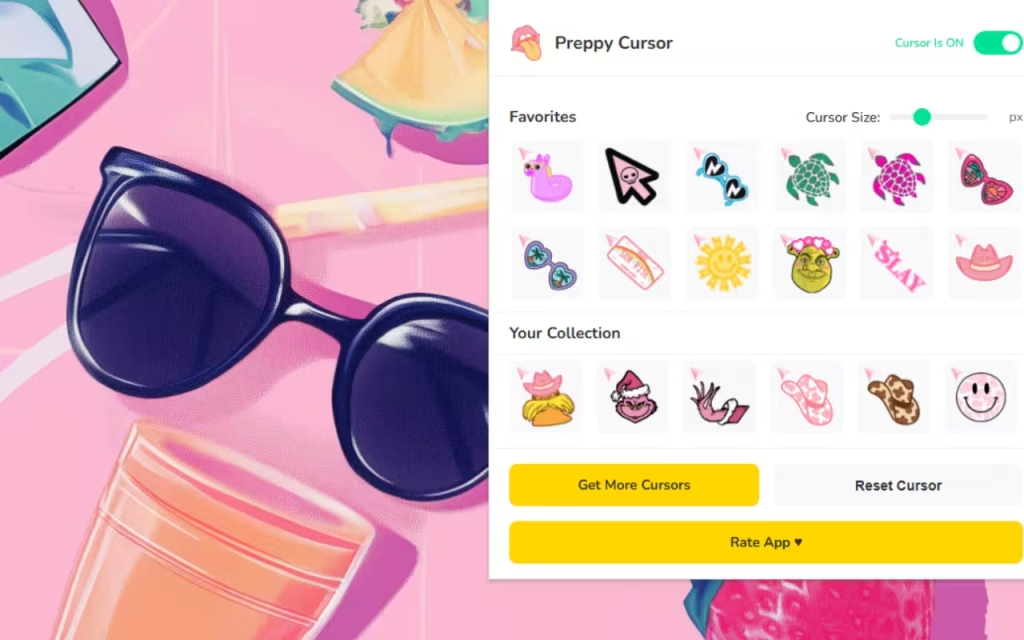
This isn't just a random assortment of icons; it is a curated wardrobe for your mouse. Let’s break down the features that make Preppy Cursor ★ Custom Cursor for Chrome™ the perfect accessory for your browser.
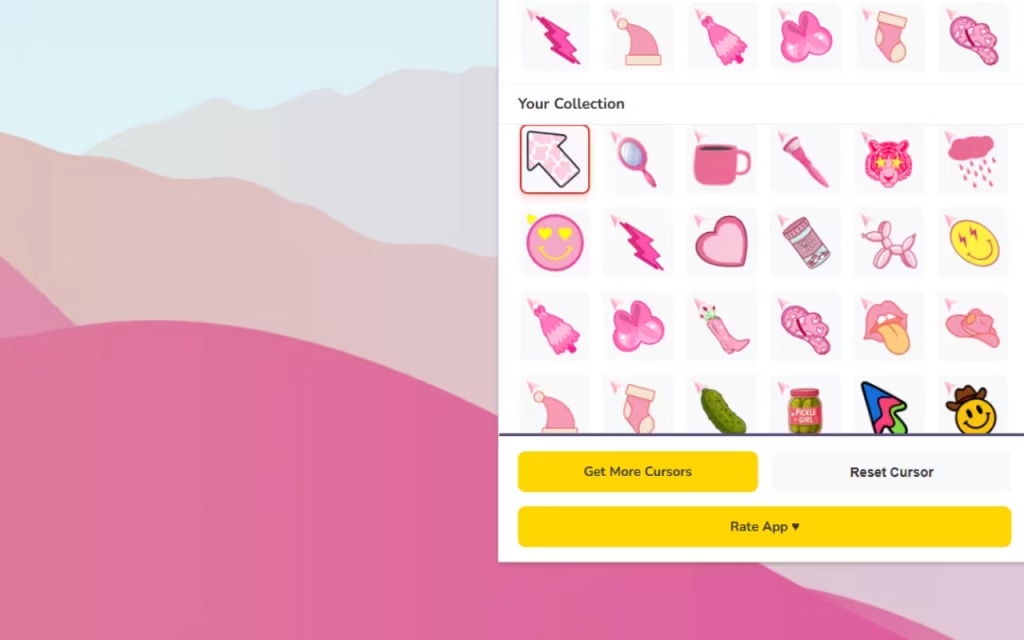
🎀 40+ Stylish Designs
The library offers a diverse range of aesthetics to match your daily mood.
-
The Y2K Icon: Bright, neon butterflies and pixelated hearts that scream early 2000s nostalgia.
-
The Soft Girl: Pastel bows, clouds, and flowers for a calmer, dreamier browsing experience.
-
The Trendsetter: Cow print patterns, lightning bolts, and "evil eye" protection symbols for those who stay ahead of the curve.
⚡ Functionality Meets Fashion
A cute cursor is useless if it doesn't work well. This extension is built for performance.
-
Resizability: Whether you have a large desktop monitor or a small laptop screen, you can adjust the cursor size from 16px to 128px.
-
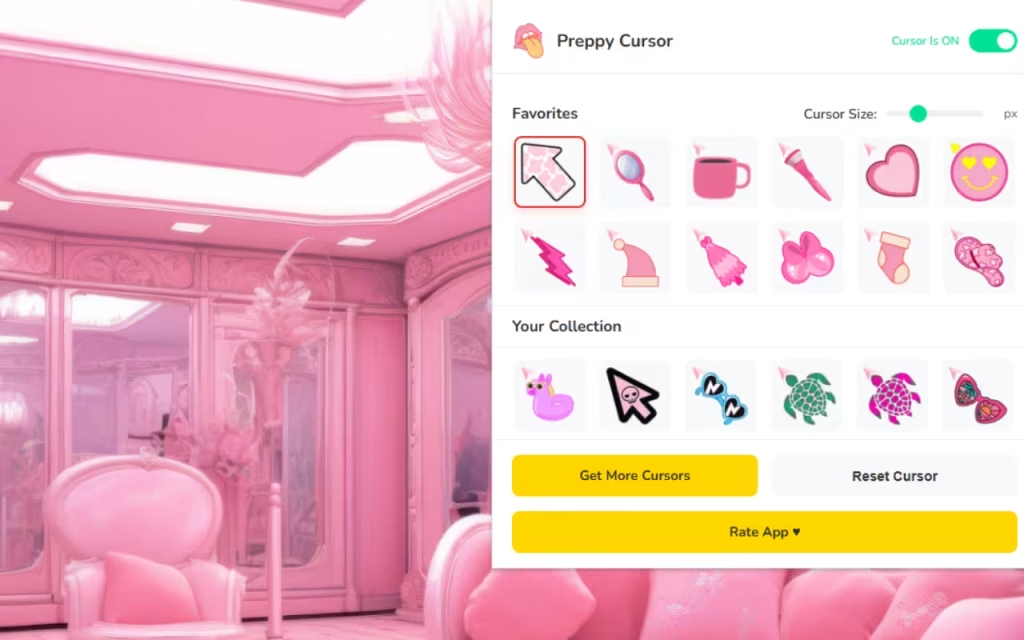
Favorites Tab: With over 40 options, you might lose track of your faves. Use the "Heart" button to save your top picks—like a Hot Pink Bow for Fridays and a Blue Smiley for Mondays—so you can switch instantly.
How to Create a Similar Decoration Style
Installing the Preppy Cursor is just the first step. To truly embody the aesthetic, you need to coordinate your entire digital environment. Here is a guide to building the ultimate preppy desktop.
1. Match Your Browser Theme
Your cursor needs a matching backdrop. You can create a custom Chrome theme using specific hex codes that define the preppy palette.
-
Preppy Pink:
#FFA9DB(A bright, bubblegum pink) -
Matcha Green:
#C3F6DA(A soft, pastel mint) -
Ocean Blue:
#082567(A deep navy to contrast with neon cursors)
2. DIY Aesthetic Wallpapers
Don't settle for stock backgrounds. Use tools like Canva to create a "digital vision board."
-
Layering: Combine images of pink sunsets, glitter textures, and inspirational quotes.
-
Stickers: Add digital "patches" that match your cursor—if you use the Smiley Face cursor, add smiley stickers to your wallpaper to create visual continuity.
3. Custom Folder Icons
Take the customization to your desktop folders.
-
Download: Search for "Preppy Icon Packs" online. Look for icons that feature cow print, pink folders, or neon stars.
-
Convert: If you find a transparent PNG you love (like a lightning bolt), use an online converter to turn it into an
.icofile (for Windows) or.icns(for Mac) and replace your boring yellow folders.
Tips for Collectors: Organizing Your Digital Wardrobe
For the aesthetic lover, "collecting" digital assets is a serious hobby. Here is how to manage your cursor collection effectively.
Curate by "Vibe"
Use the extension's Favorites Tab to create themed rotations.
-
Study Mode: Stick to simpler cursors like the White Bow or Blue Star to minimize distractions while reading.
-
Weekend Mode: Go wild with the Rainbow Butterfly or the Neon Lightning Bolt when you are browsing social media or shopping.
Rotation is Key
Just like you wouldn't wear the same outfit every day, don't use the same cursor forever. Rotate your cursor weekly to keep your browsing experience fresh. Matching your cursor to the current season (e.g., a flower for Spring, a snowflake for Winter) is a pro move for any digital decorator.
Suggestion: Place an image of the Preppy Cursor ★ Custom Cursor for Chrome™ interface here to show the variety of colorful icons and the size slider.
The Preppy Cursor ★ Custom Cursor for Chrome™ is more than just a browser extension; it is a form of digital self-care. It reminds us that technology doesn't have to be cold and impersonal. It can be bright, fun, and full of personality.
Whether you are a TikTok trendsetter or just someone who loves the color pink, this tool allows you to express your unique style with every click. It is lightweight, easy to use, and absolutely packed with charm.
Are you ready to glow up your browser? Download the extension today and let the colorful vibes take over!
Tell us in the comments below: Which preppy motif is your favorite—the classic Smiley Face or the trendy Lightning Bolt?







